New Tenant Creation - LevelAI
Last updated: June 18, 2026
You can now create a new tenant, on a self-serve basis without the dependency on the engineering teams by following the below process.
Note: Make sure you have done the steps in this documents for getting the relevant access: User Onboarding Guide
Note: On Wednesday please make sure that no deployment is running at the time you are creating a tenant. (This can be checked in the #release_coordination channel or with the engineering team)
Video Recording for the below process: Tenant Creation Recording
Running the Ops Portal Task
To set up the tenant, we would need to run the Ops portal task.
1. Visit the following to open the ops portal page: https://levelops.thelevel.ai/workbench
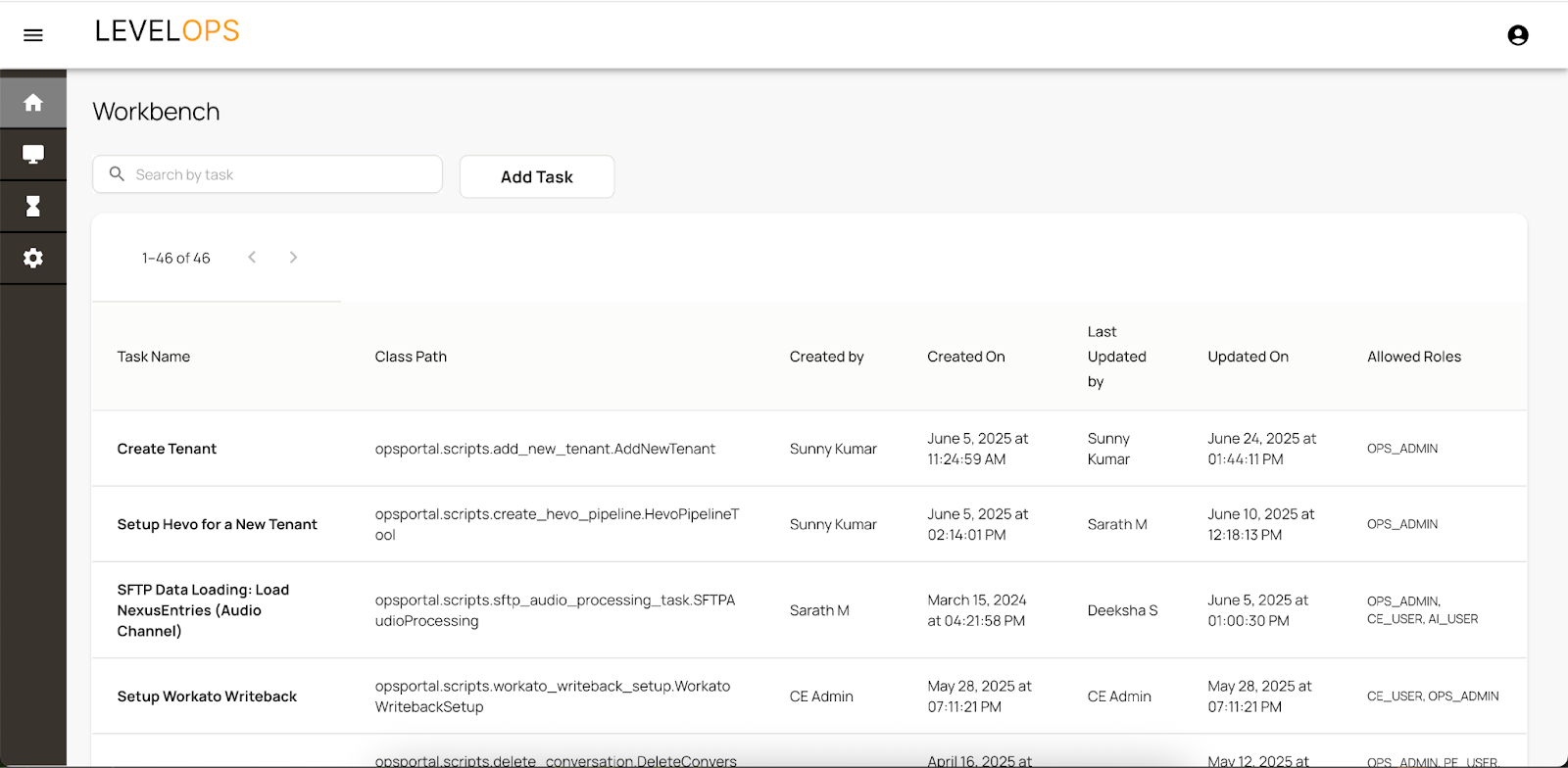
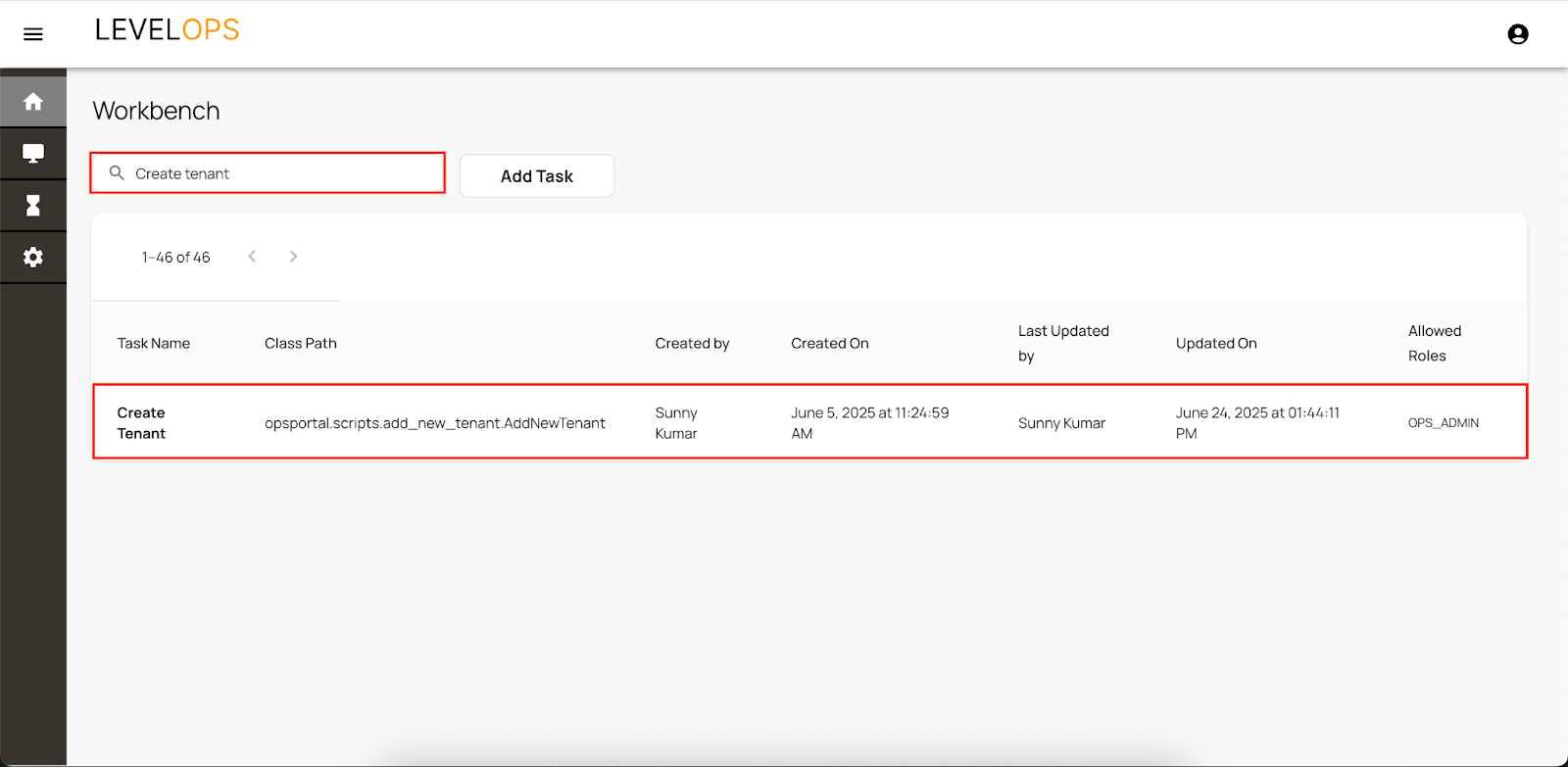
2. Search for ‘Create Tenant’ Task in the list
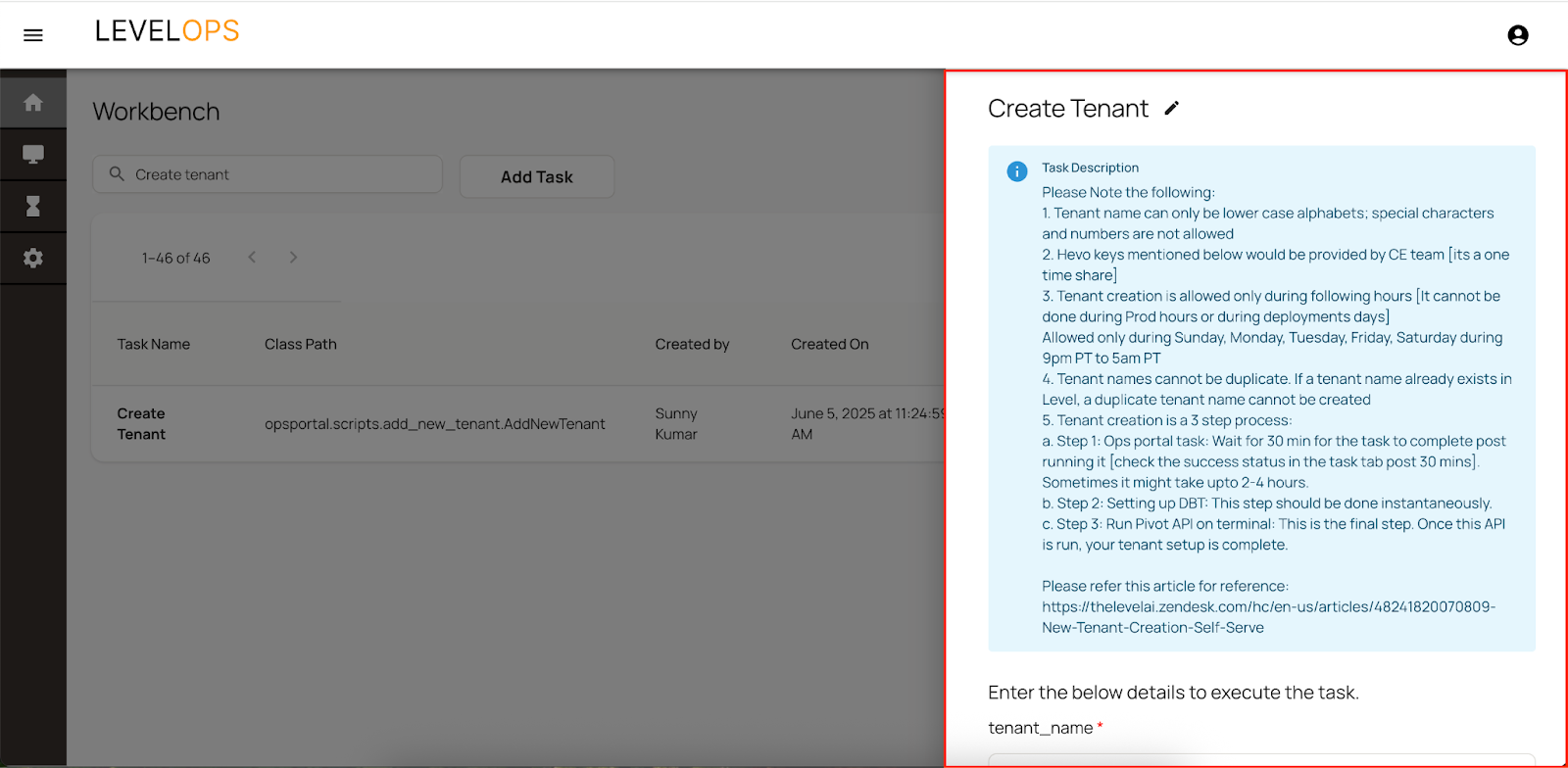
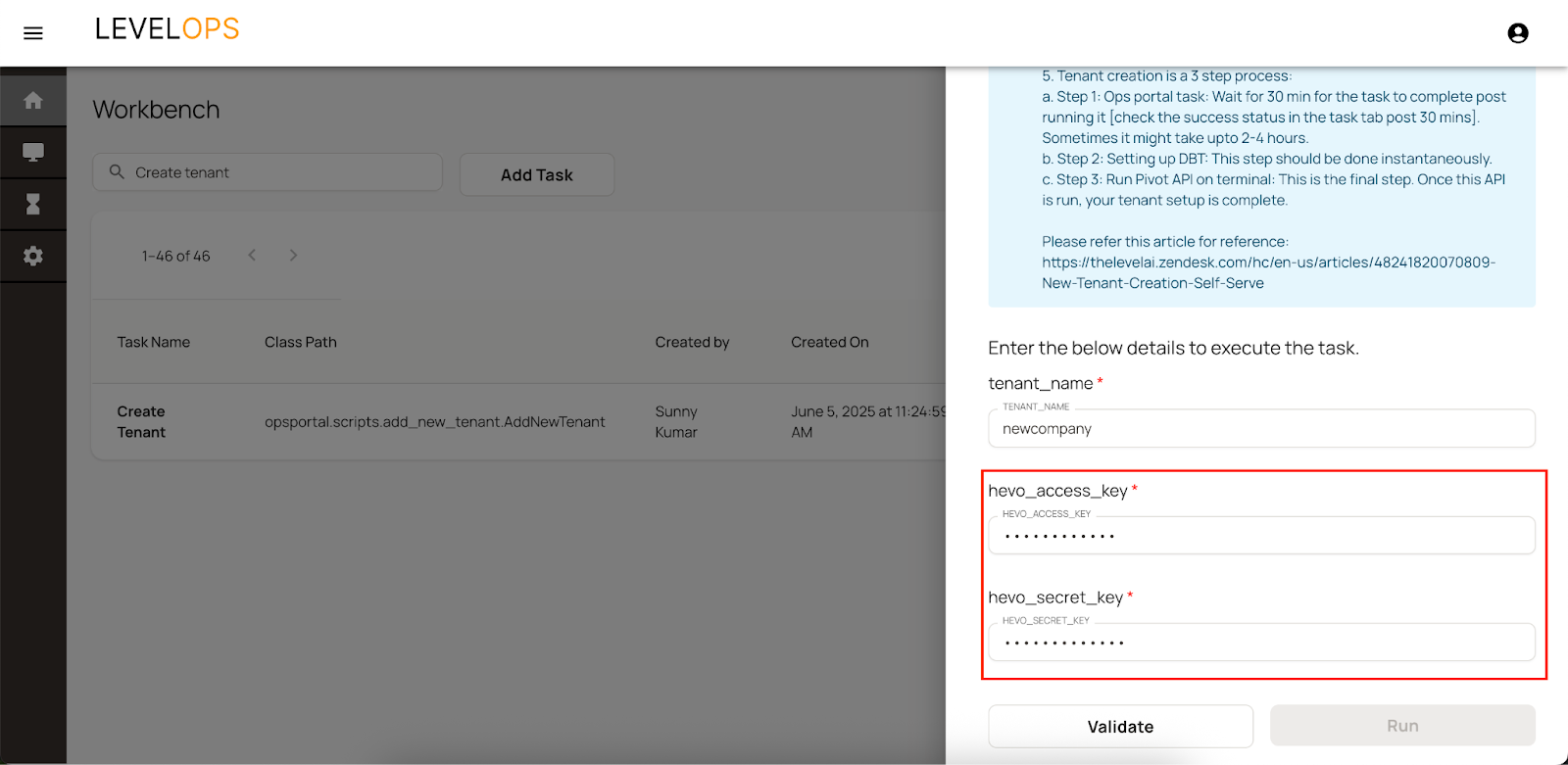
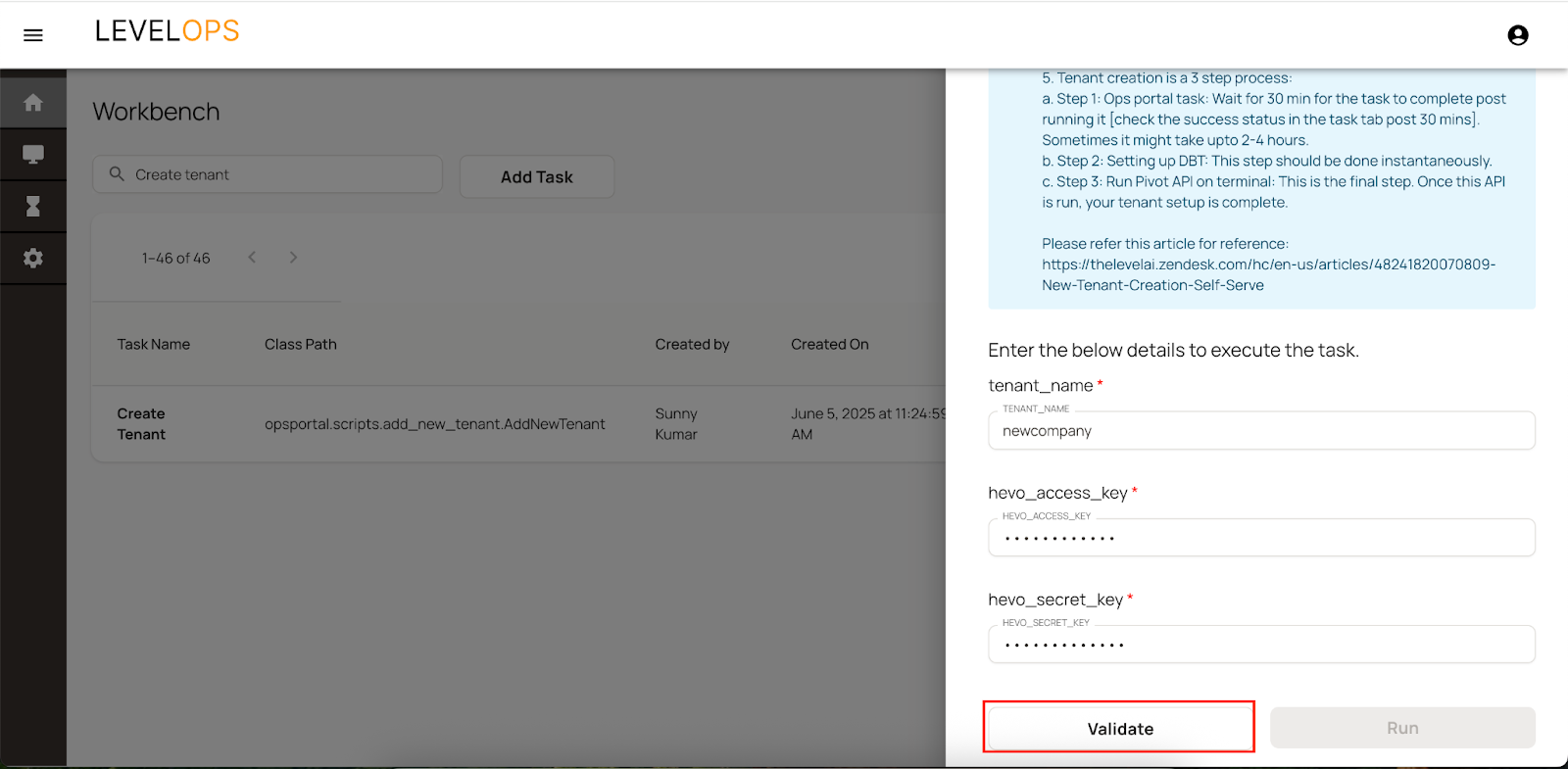
3. On clicking it, It would open a sidebar with the following details to be entered
4. Enter the tenant name
Tenant names should be unique. Only small alphabets are allowed; special characters and numbers are not allowed.
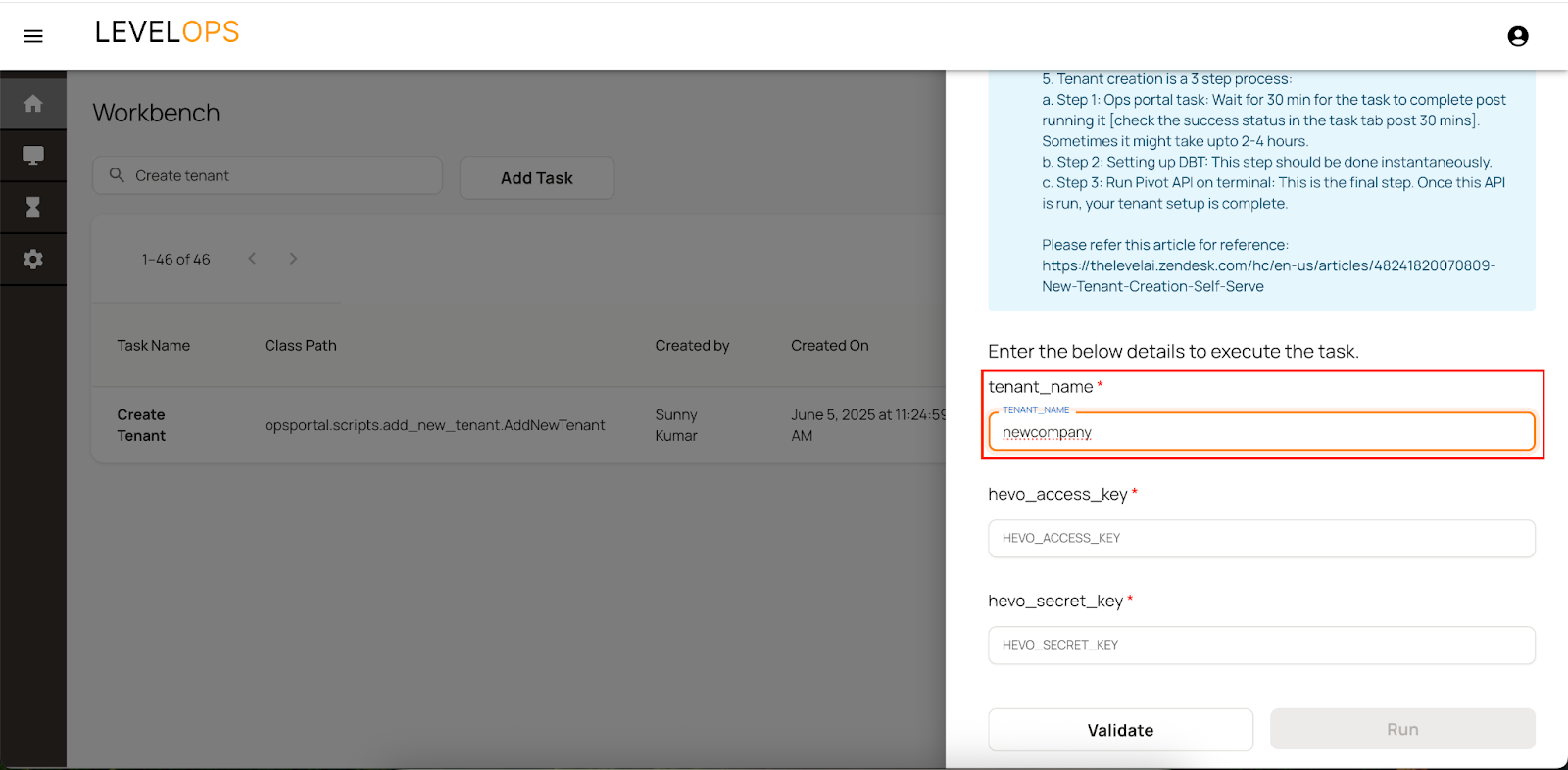
5. Enter the Hevo credentials
These credentials are provided by the CE team on a one time basis to the relevant users
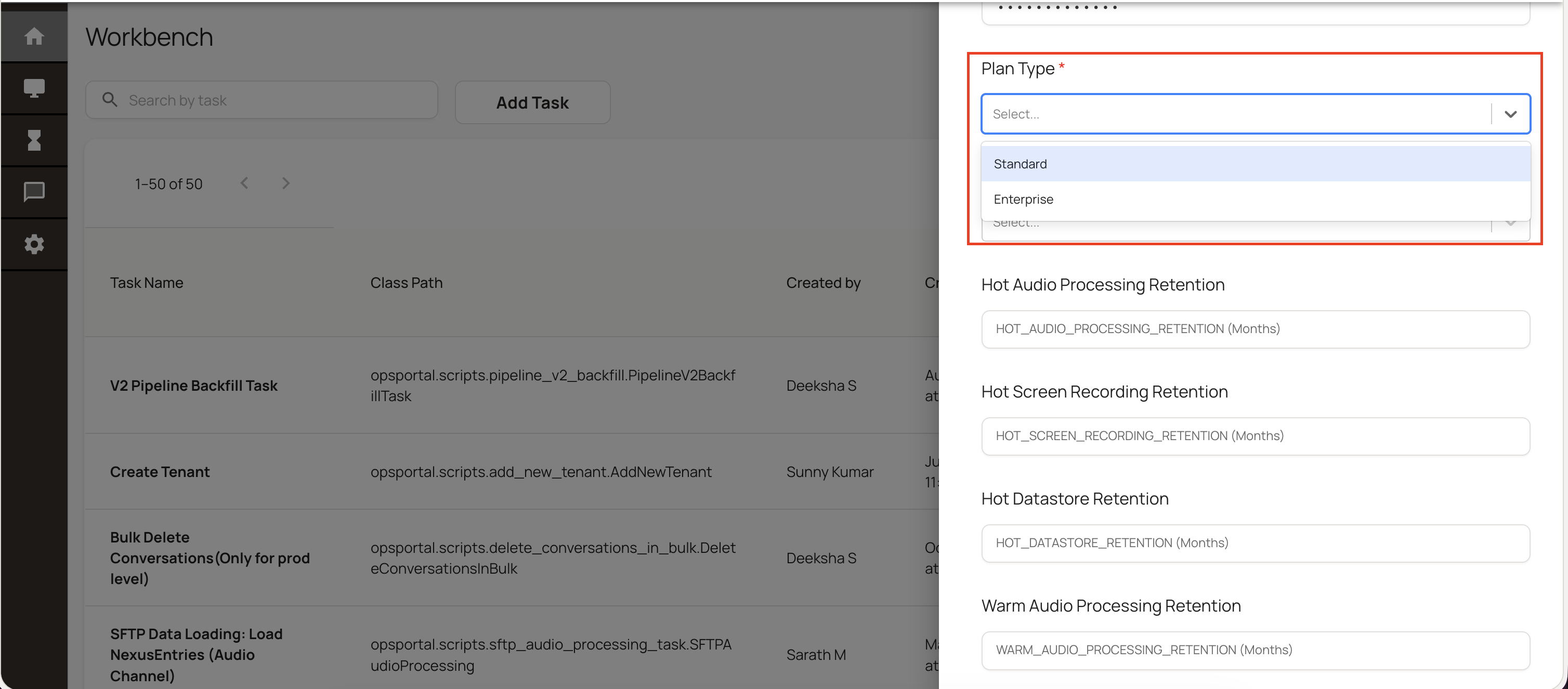
6. Enter Plan Type of the Tenant: (Standard/Enterprise)
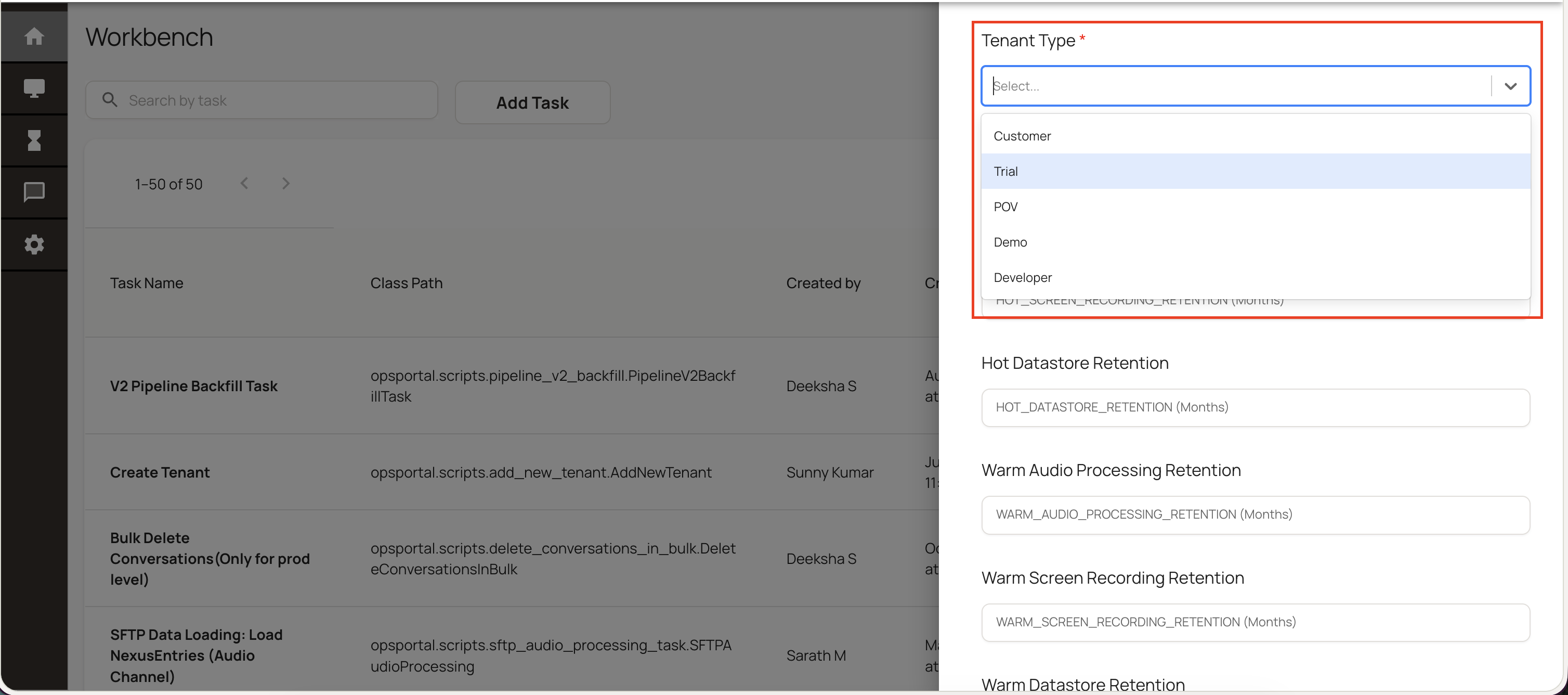
7. Select Tenant Type: (Customer/Trial/POV/Demo/Developer)
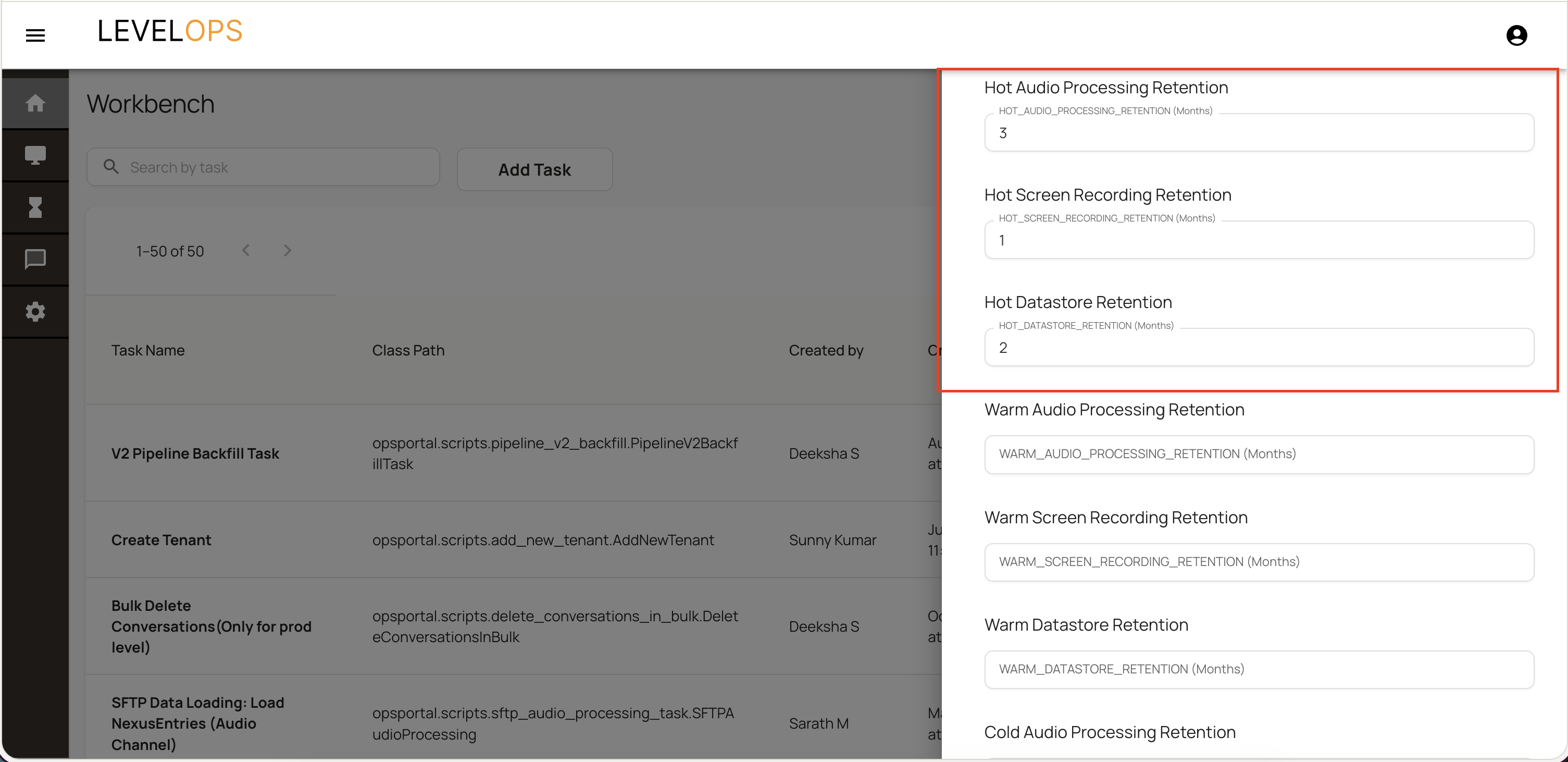
8. Default values for retention days would be populated. Change them according to the tenant license.
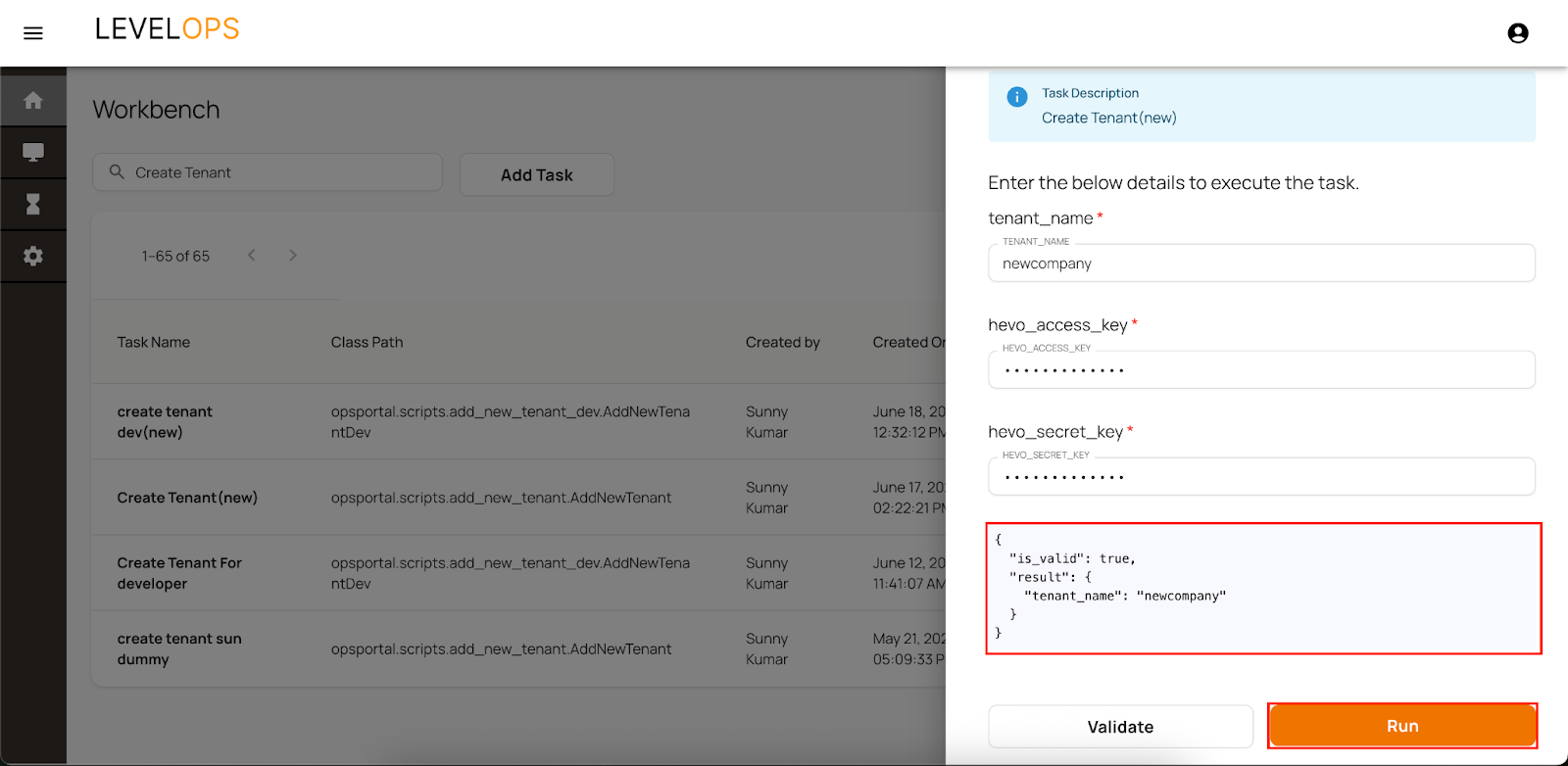
9. Click on Validate to verify the details
10. Once you see the validations as passed and no errors, Click on Run.
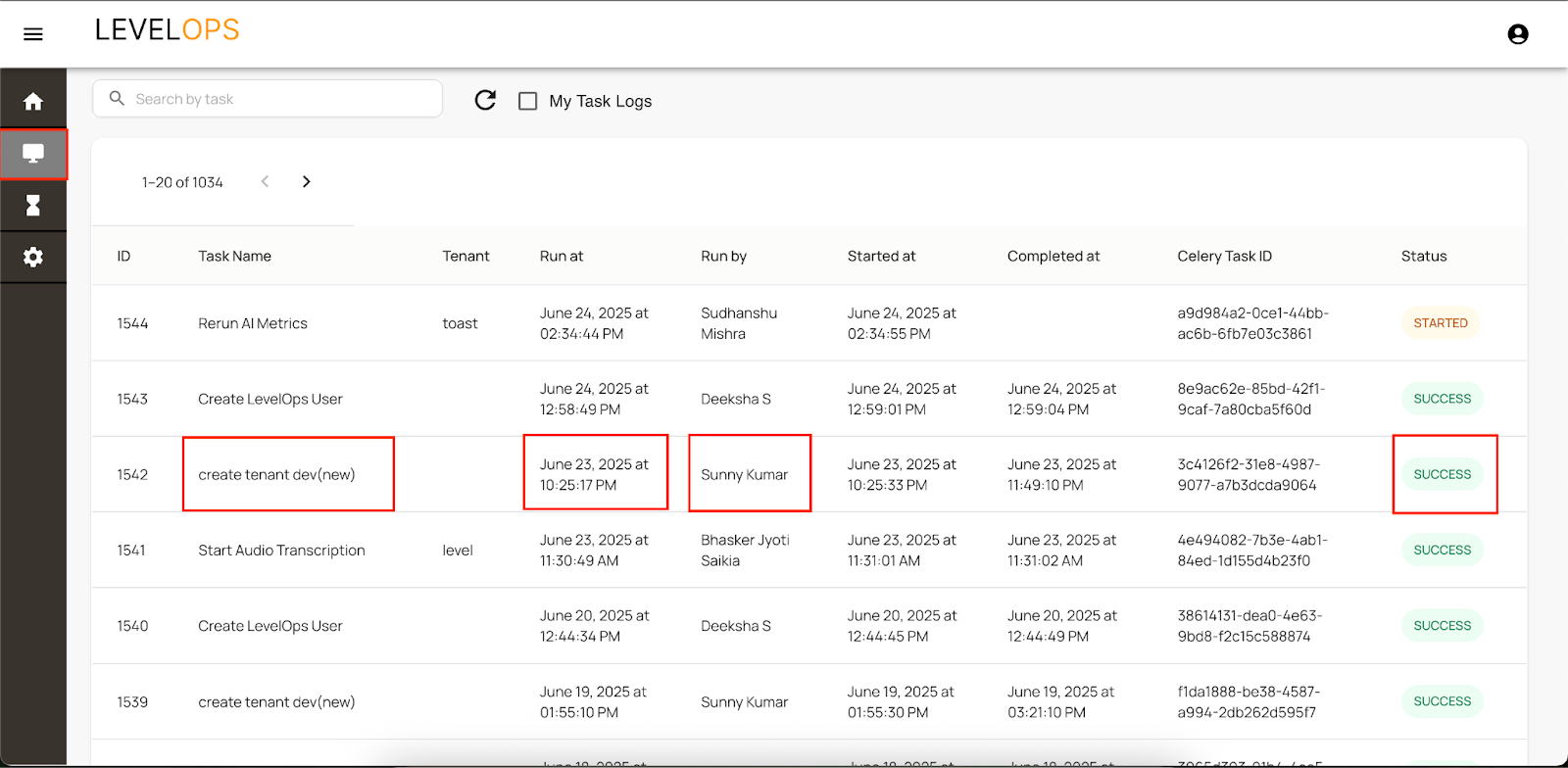
11. Wait for the task to complete. Verify the status in the Task logs.
Verify the task status in the Task logs as shown below. Compare the task name, Run at, Run by and the status.
Note: This could take around 30min to 2hours. Sometimes this task might get extended to 4hours. In case it exceeds 4 hours please raise a ticket with the CE Team.
You can verify the tenant creation completion on the slack channel (#ce-ops-tenant-creation-success)
Frequently Asked Questions (FAQs)
What are the steps involved?
It is a single step process of running the ops portal task
What role should I have to be able to create a new tenant?
You need to have the Tenant Create User role in the Ops Portal.
What are the limitations on tenant name?
Tenant names must:
Be unique
Use only small alphabets
Not include numbers or special characters
When can I run the tenant creation process?
You can run it at any time of the day and week. On wednesday's please make sure that you either check the #release_coordination channel or with the engineering team that no deployments are running.
Where can I get Hevo keys?
Hevo credentials are provided once by the CE Team to selected users.
How long does it take for Ops Portal Task to complete?
Typically takes 30 minutes to 2 hours
If it exceeds 2 hours, raise a ticket with the CE Team
Where can I verify if the tenant creation process is done?
Check the Slack channel: #ce-ops-tenant-creation-success
What should I do after tenant creation?
Perform basic sanity checks across all pages of the application.
This involves
Check if the home page is rendering without any alerts or errors
Check the KPIs and Other Dashboard indicators to be loaded without any errors
Visit the conversations page to verify any errors
What should I do for tenant creation in the EU region?
Create a ticket with the CE Team to request EU region support. (Note: Currently, only the US region is supported for self-serve)