Managing your integrations with the Integration Hub
Last updated: June 21, 2026
As an Admin or Super Admin, you can use the Integration Hub to conveniently manage the third party tools that you have integrated with the Level AI platform.
To access the Integration Hub,
Login as an Admin and from the left sidebar, navigate to Settings > Integrations screen.
A list of third party tools appears. The Installed section will display the tools you have already configured, while the remaining ones are displayed in the Available section.
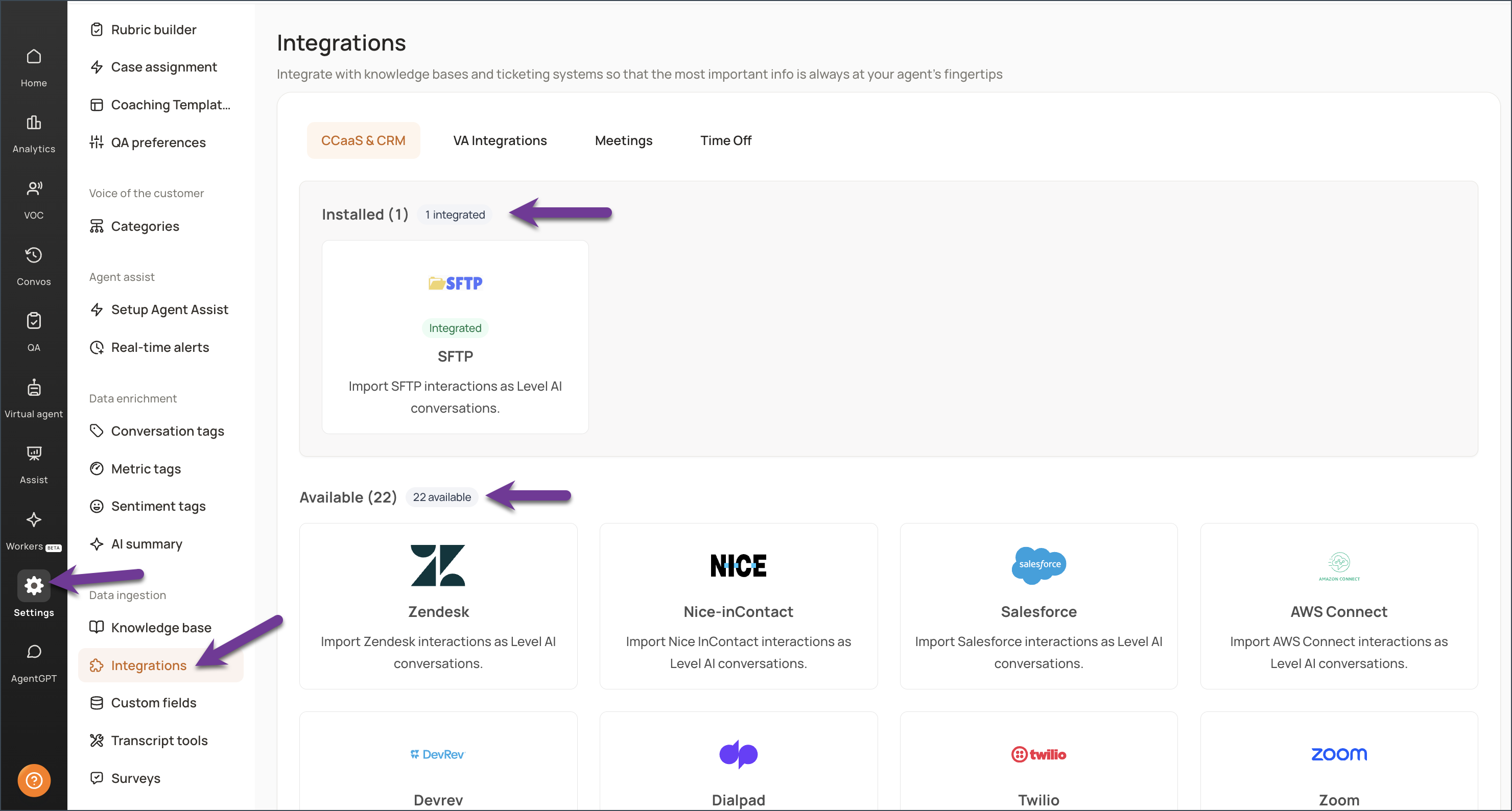
Click the tool for which you want to view the details or want to integrate with your Level AI platform.
You will be able to view information such as the benefits of integrating the selected tool with Level AI, a link providing step-by-step guidance to configure the integration, and details of how to manage the integration once you have configured it.
Once configured, you can manage the properties of the integration conveniently through the Level AI platform. E.g., you can control which channels of conversation you want to ingest, or momentarily pause any channel-specific data ingestion, and so on.
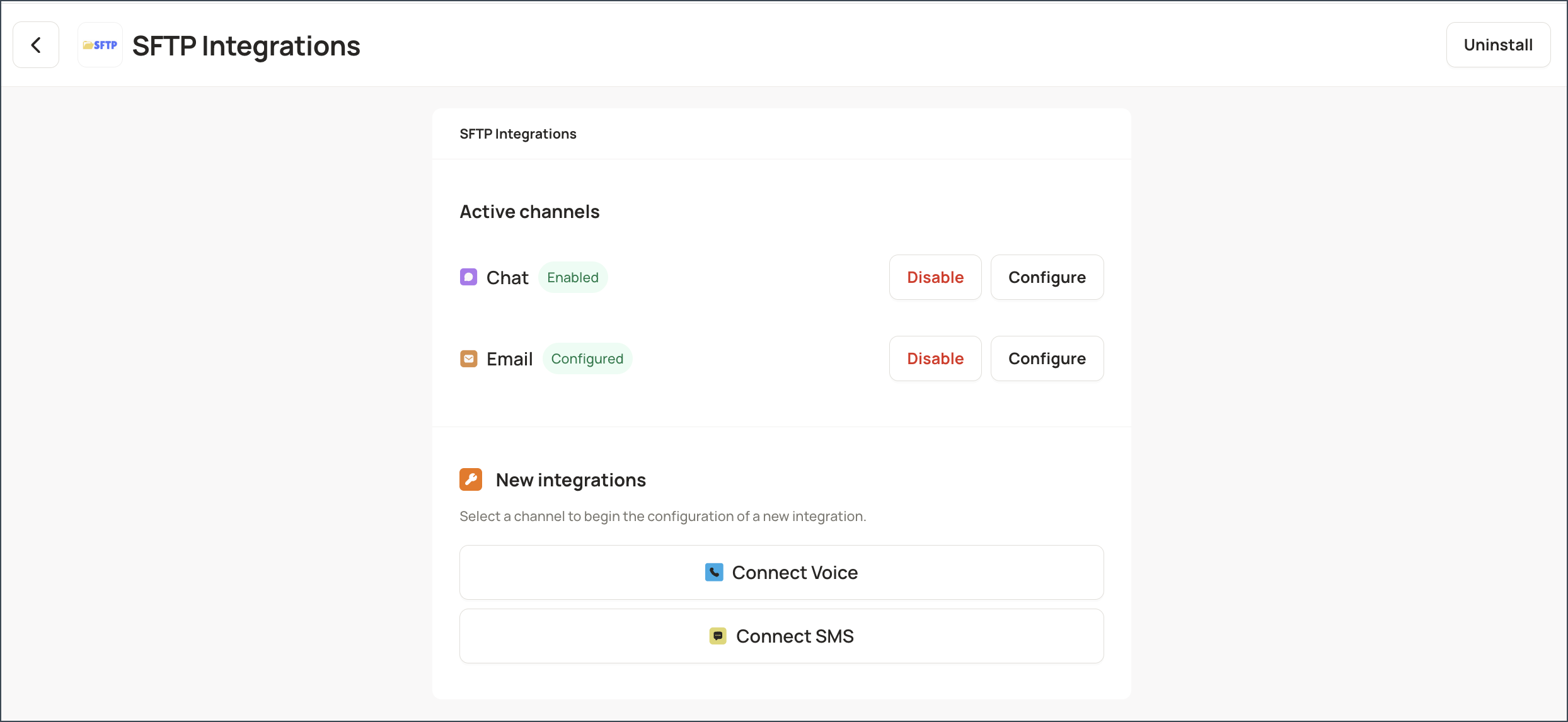
If you no longer need to be integrated with a third party tool, you can uninstall it by navigating to Settings > Integrations > Installed section. Open the desired integration and click Uninstall.