Level AI Integration with Slack
Last updated: June 18, 2026
Leverage the power of conversation intelligence by integrating Slack with your Level AI app. You will be able to import customer-specific slack interactions into your Level AI app and analyze the language, sentiment, and tone of these conversations; thus, gain insights into your customer's needs, the current resolution processes, and identify scope for improvement.
How to integrate your Slack workspace with Level AI?
NOTE
You must be an Admin or Super Admin to carry out the Slack-Level AI integration.
Log in to your Level AI app.
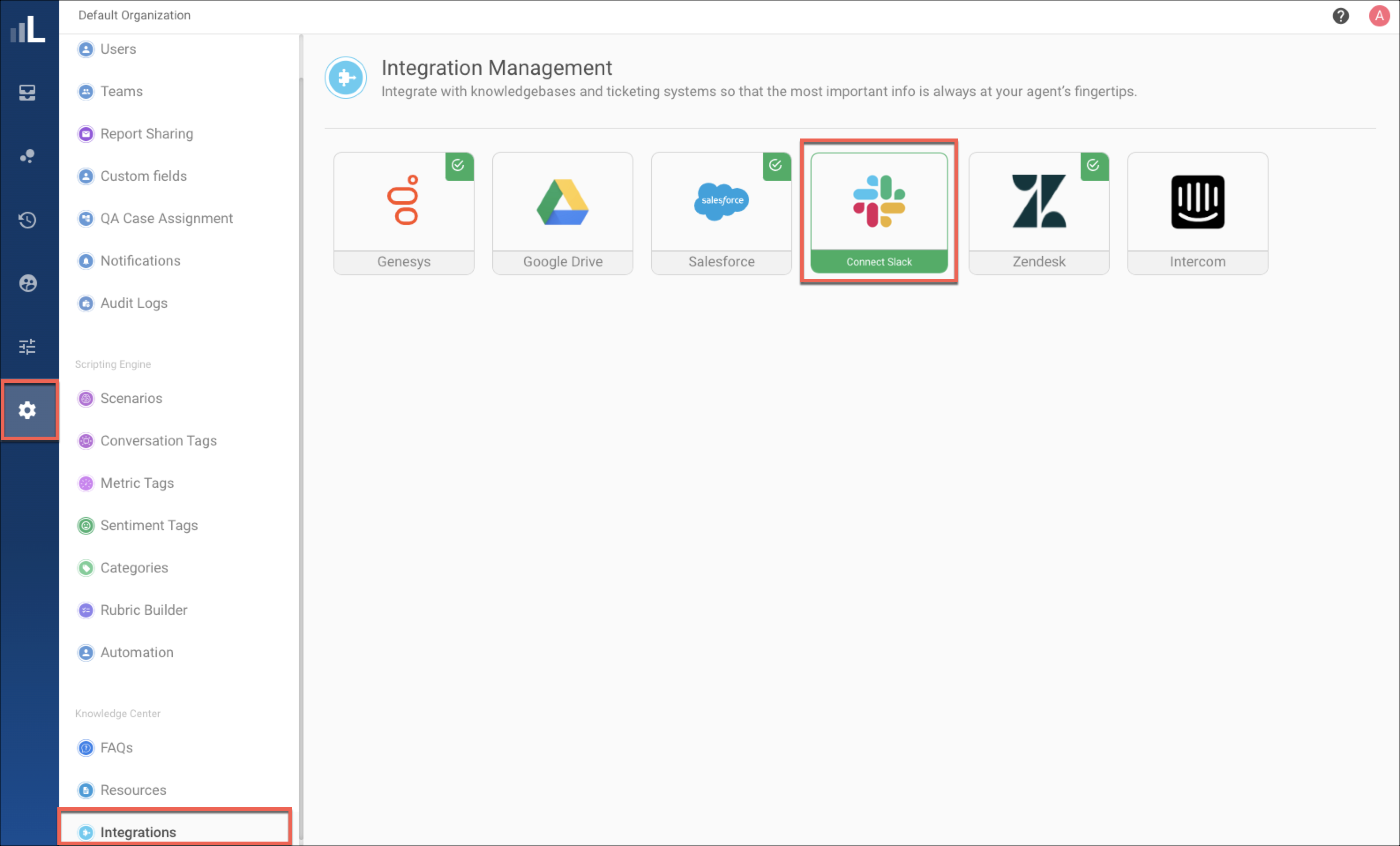
Navigate to the organization in which you want to install the Slack app. Click ⚙
and navigate to Integrations.
Click the Slack icon
Click Install to start the setup process.
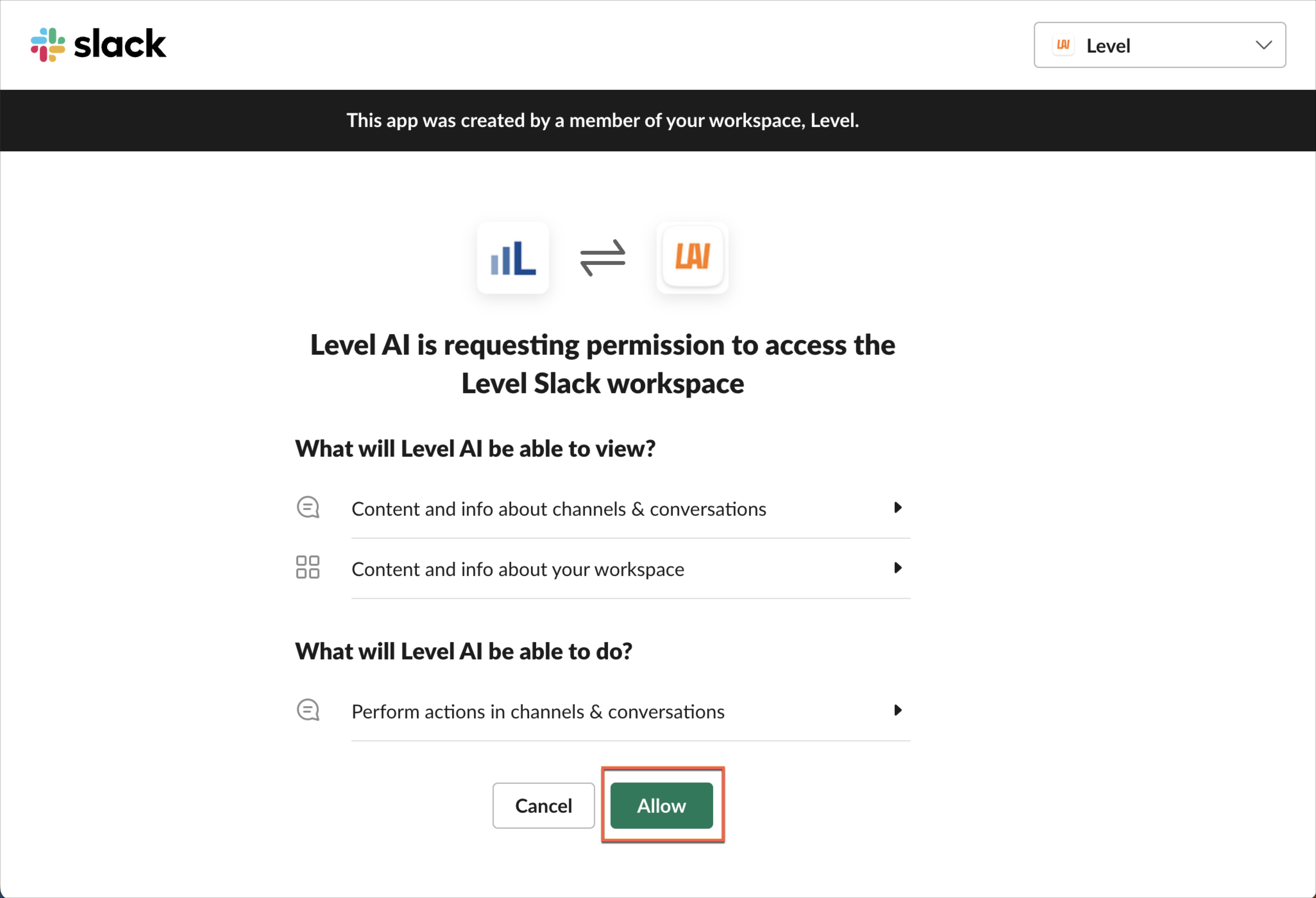
(if applicable) Choose the desired Slack workspace (top right of screen) to integrate with Level AI
You will be redirected to the Slack oAuth page. Click Allow to complete the authentication.
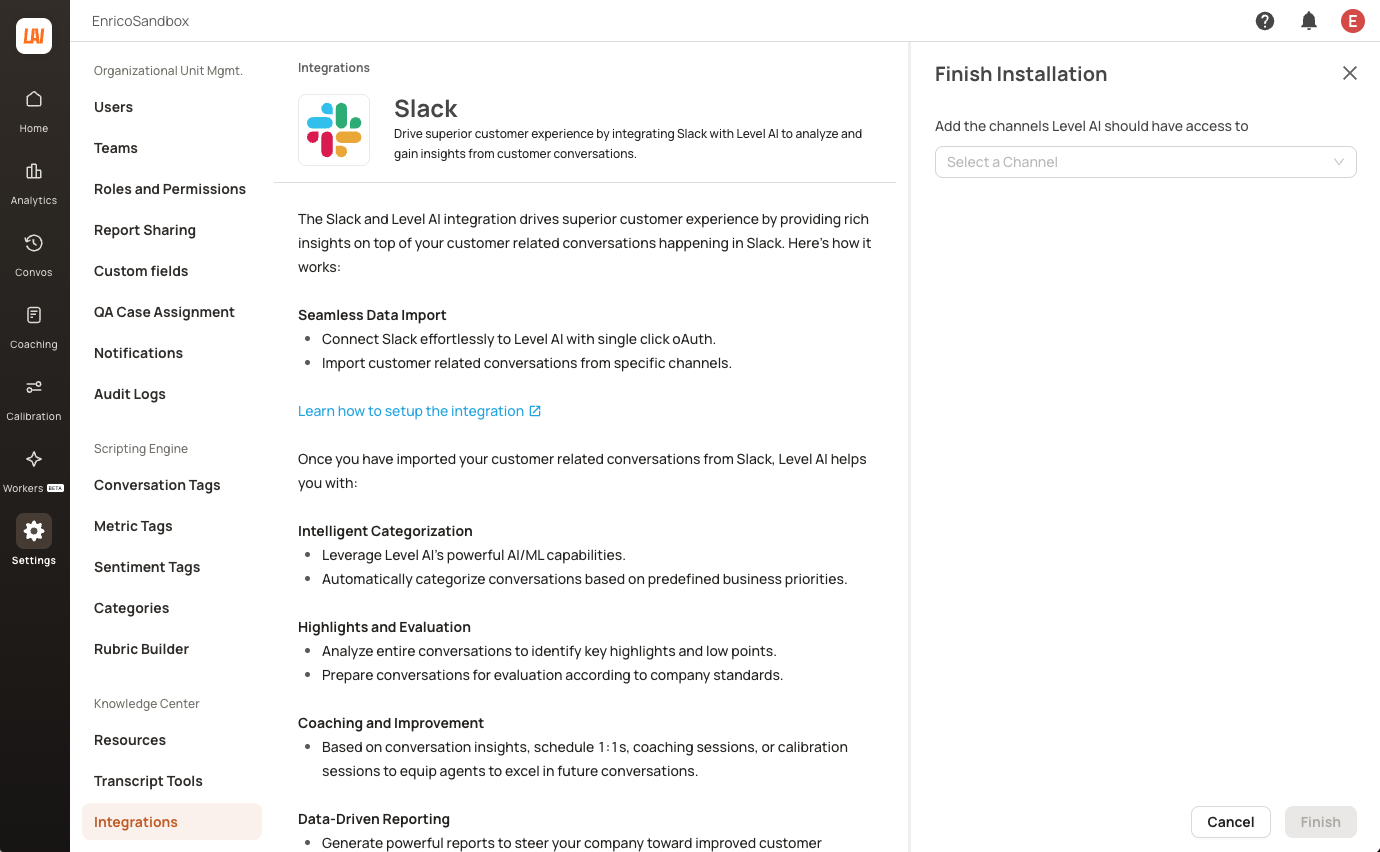
Once the oAuth authentication is successfully completed, select the channels from which you want Level AI to import/ ingest the conversations and trigger real time conversations alerts, and click Finish
Once the above step is completed. Slack will ingest all the conversations from the last 30 days from the selected channels. Post the historical load, we will fetch any new conversation and updates to existing conversation via hourly periodic sync.
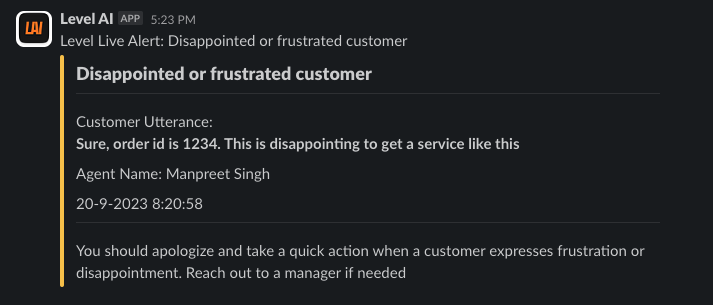
Post the completion of Step 5 (successful auth and channel selection), these slack channels will start getting real time notifications about ongoing customer conversations.
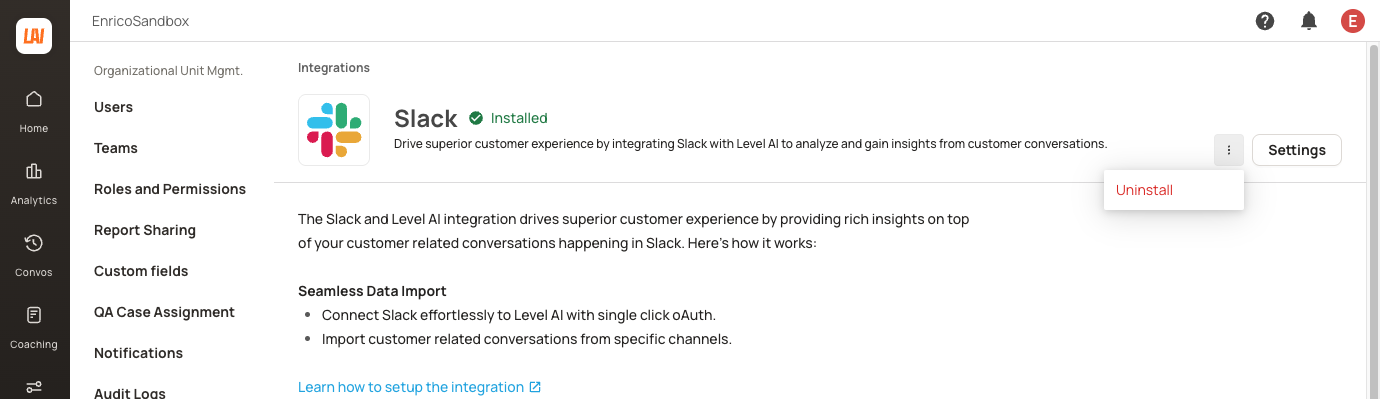
To uninstall the Slack integration, navigate to the Integrations page and click on the Slack listing. It will navigate you to the Slack configuration page where you can click the menu button > Uninstall to uninstall the app.
Additional Information:
Below are the list of permissions that the Level AI application would have on your Slack workspace.
channel:history
Level AI needs this scope to read existing conversations in the channels where Level AI bot has been installed. This will be used for the conversation ingestion process into Level AI for Conversation Intelligence and to drive productive discussion to help resolve customer issues faster.
channels:join
Level AI needs this scope to install the Level AI bot in the respective channels from level AI integration interface. The bot needs to installed in the channels to ingest data as well as to pass real time notifications about ongoing customer conversations with the support agent.
channels:manage
Level AI needs this scope to remove the Level AI bot from a specific channel from where we don’t need to ingest any data further or to stop sending the real time conversation alerts.
channels:read
Level AI needs this scope to get all the channels into which Level AI bot can be installed. This is the second step post successful authentication with Slack where we display the list of channels to Level AI admins to choose from to ingest conversations and also send real time alerts.
chat:write
Level AI needs this scope for the Level AI bot to post real time alerts into the channels selected as it's a required scope for posting message using slack_sdk chat_postMessages API
groups:history
Level AI needs this scope to read conversations in the selected private channels into which Level AI bot has been installed.
groups:read
Level AI needs this scope to get the private channel information and also to read the existing conversations happening in those private channels for conversation intelligence.
mpim:read
Level AI needs this scope to read respective multiparty conversations into which Level AI bot is installed for fetching those conversations into Level AI for conversation intelligence.
users.profile:read
Level AI needs this scope to identify conversation creators and participator information to associate the conversations being fetched into Level AI to the user information.
users:read
Level AI needs this scope to get the list of users for team management for agent driven help provided via slack. Additionally, we would need this to list the users and choose them for sending the real time alerts from Level AI.
users:read.email
Level AI needs this scope to uniquely identify users who are part of a conversation and resolve slack users to conversation creators in Level AI. In Level AI, we use email ID as the primary key to distinguish users.
Additionally read more about Level AI privacy policy here.
If you facing issues with respect to the integration, reach out to us at support@thelevel.ai