Salesforce integration with Level AI
Last updated: June 18, 2026
You can import all your Salesforce customer conversations into Level AI to gain valuable insights. With the Salesforce- Level AI integration, conversations will be ingested from your Salesforce instance into Level AI in a systematic, periodic manner.
INFO
Currently, the Salesforce integration supports ingesting conversations for the Email, Chat, and Call channels only.
Setting up your Salesforce integration
Login to your Level AI tenant as an Admin.
In the left sidebar, navigate to Settings > Integrations screen.
Under the Available section, click Salesforce.
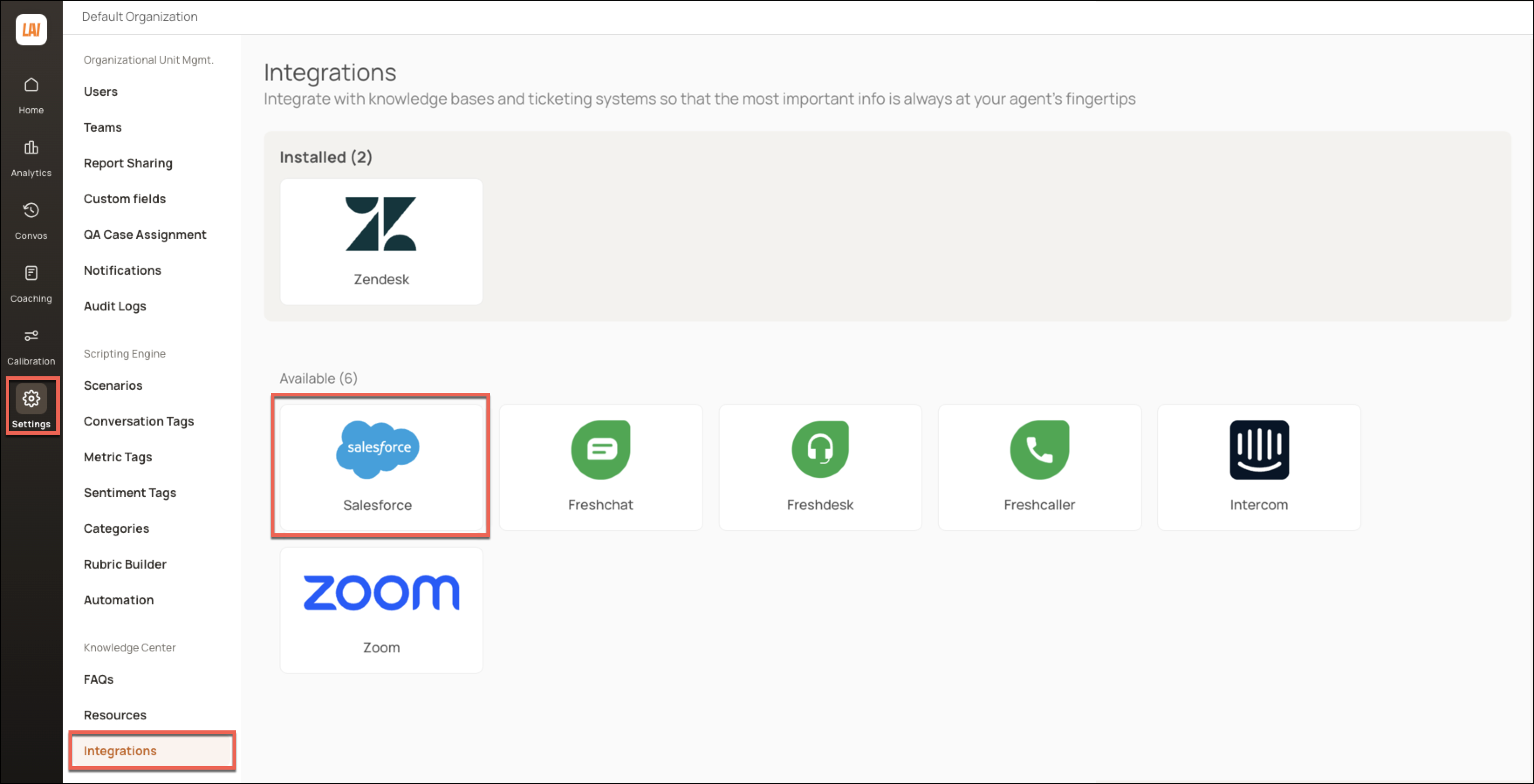
Click Install to initiate the set up process. You can click the hyperlink for step-by-step guidance on setting up the integration.

You will be navigated to the Salesforce login page. Log in as an Admin or with a user account that has Read and View All Records permissions for these objects:
- Case
- VoiceCall
- MessagingSession
- LiveChatTranscript
- ConversationEntry
- EmailMessages
- Opportunity (OpportunityId field should be readable)
- Lead (LeadId field should be readable)
- Account (EndUserAccountId field should be readable)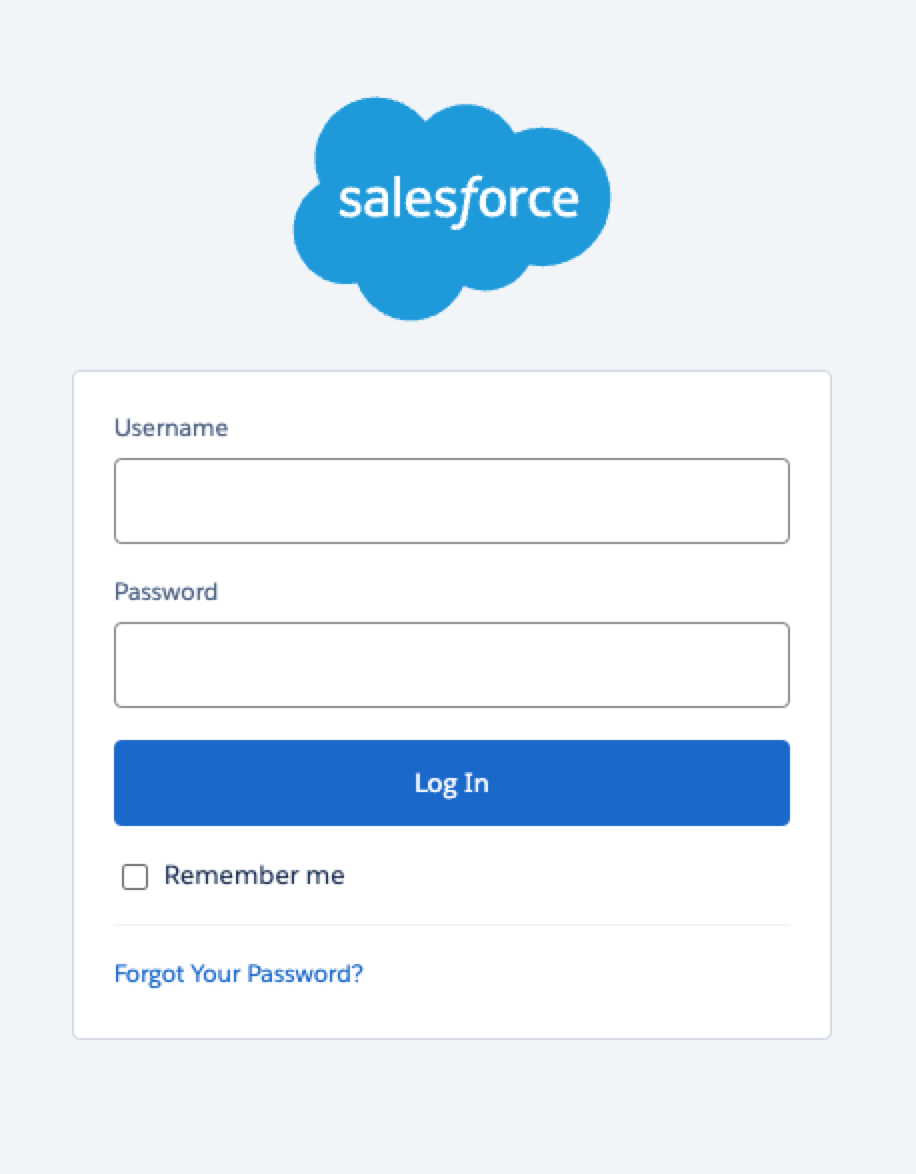
Upon successful authentication, you will be redirected to the Integrations page to continue with the setup process.
Select the channels of conversation that you want to import from Salesforce. Click Finish to complete the set up.
Channel Selection
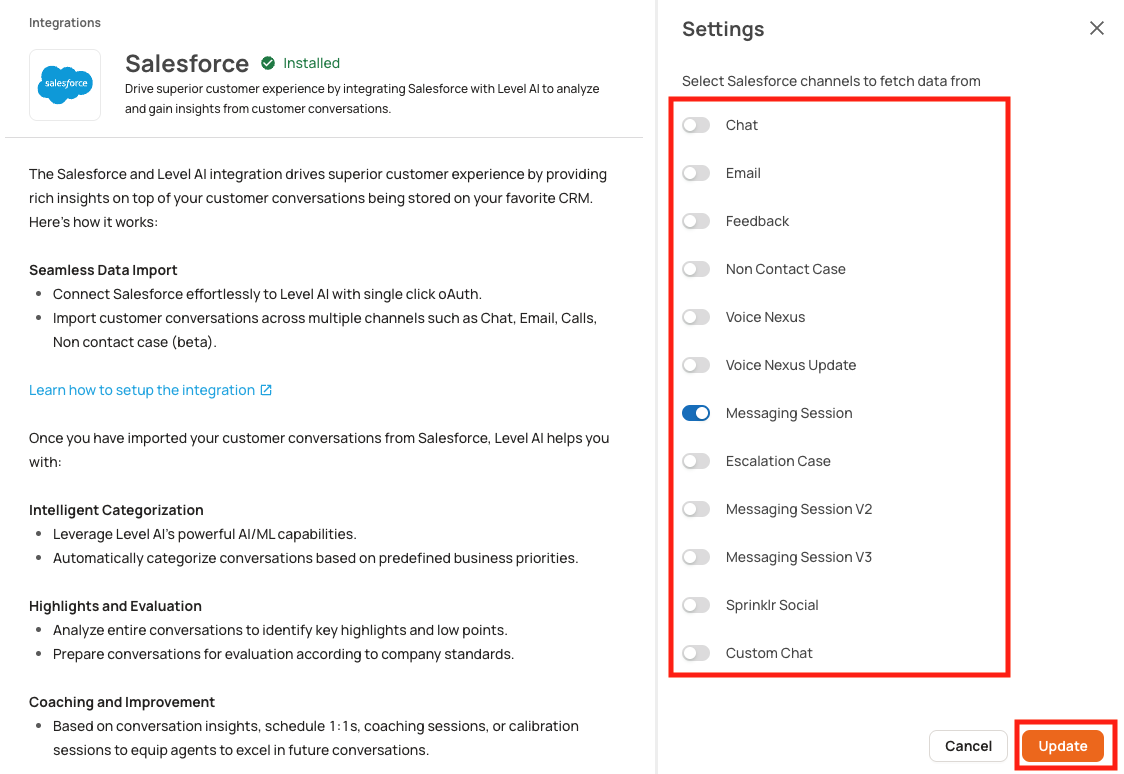
Use the following Radio button channels for enabling the right LevelAI Channel
Channel | Radio Button to Select |
Chat | Chat |
Voice | Reach out to Support |
Messaging Session | Messaging Session V2 |
Other Channels | Reach out to Support |
Note: Non-Contact Case, Voice Nexus, Voice Nexus Update, Escalation Case, Messaging Session, Messaging Session V3, Sprinklr Social, Custom Chat are channels created custom for few clients. Do not use these for enabling in UI.
Pausing data ingestion
If you want to momentarily pause data ingestion,
Navigate to Settings > Integrations. Under the Installed section, click the Salesforce icon to open your Salesforce integration.
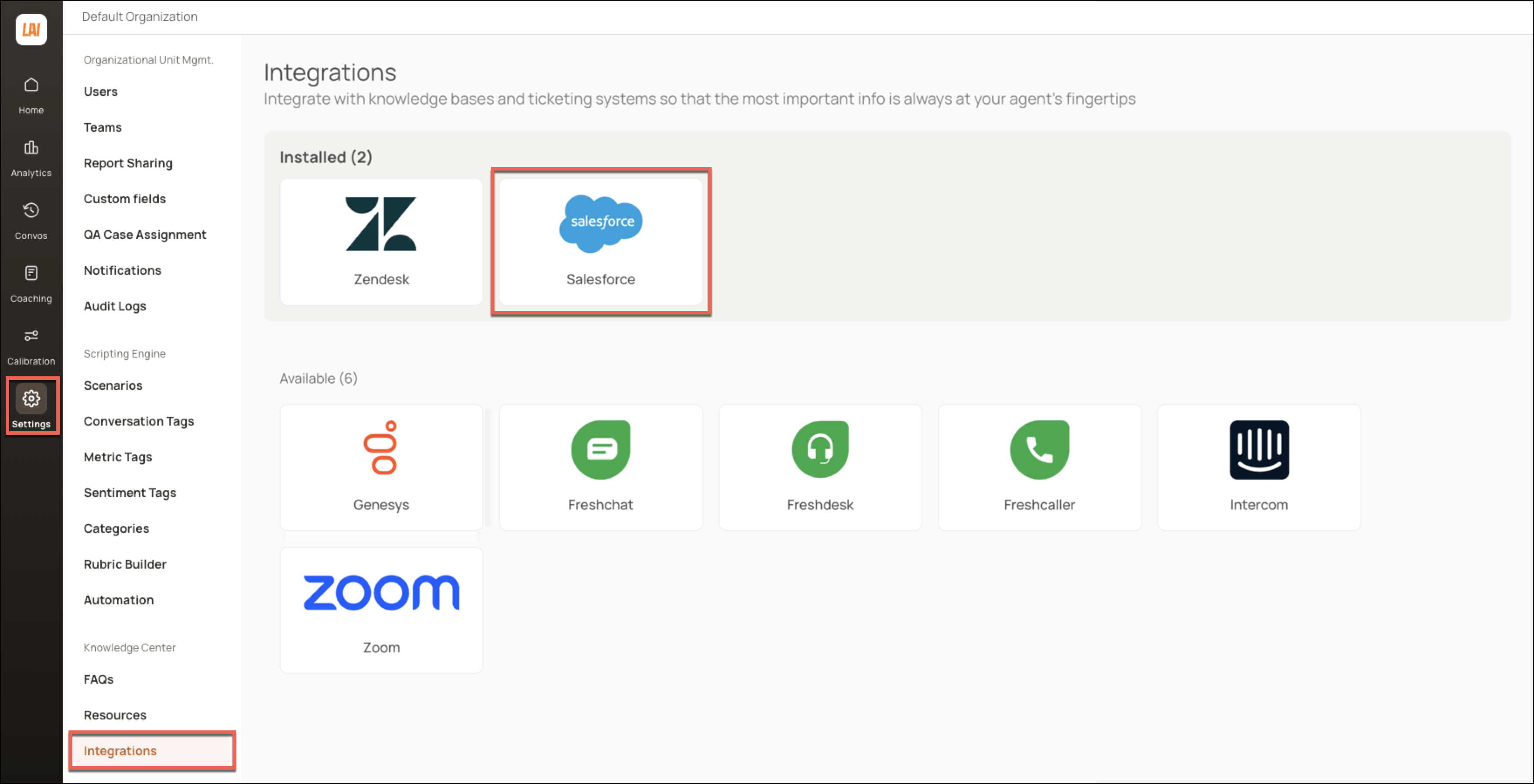
Click Settings.

Using the toggle, deactivate the desired channels for which you want to stop ingesting conversations and click Update.
Uninstalling your Salesforce integration
WARNING
This is an irreversible process. The Salesforce integration will be uninstalled by removing the authentication between Level AI and Salesforce. All ongoing and scheduled data ingestions will be terminated until re-installed.
If you want to uninstall your existing Salesforce integration,
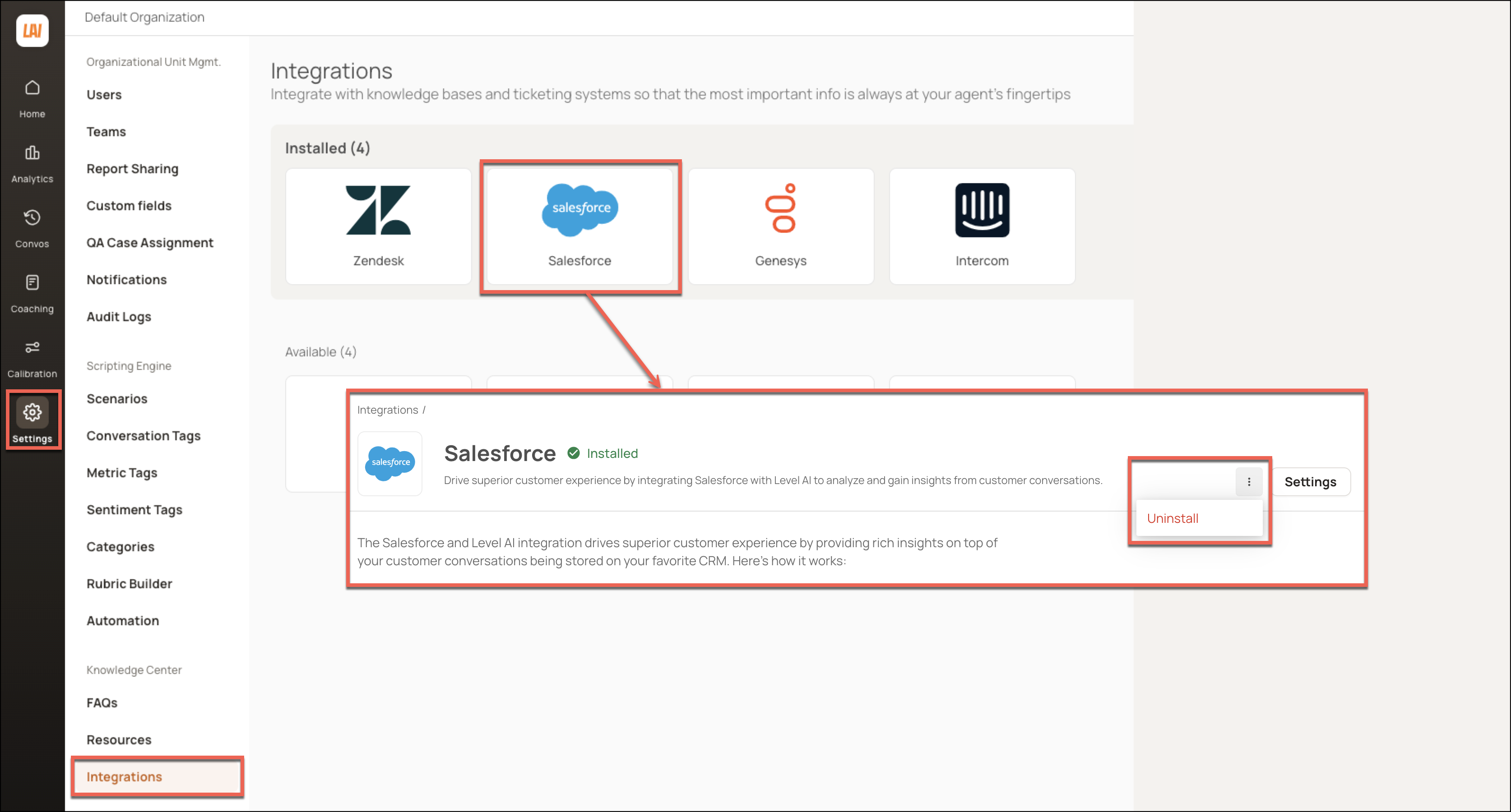
Navigate to Settings > Integrations. Under the Installed section, click the Salesforce icon to open your Salesforce integration.
In the screen that appears, click the More Options icon. In the list that is displayed, click Uninstall.
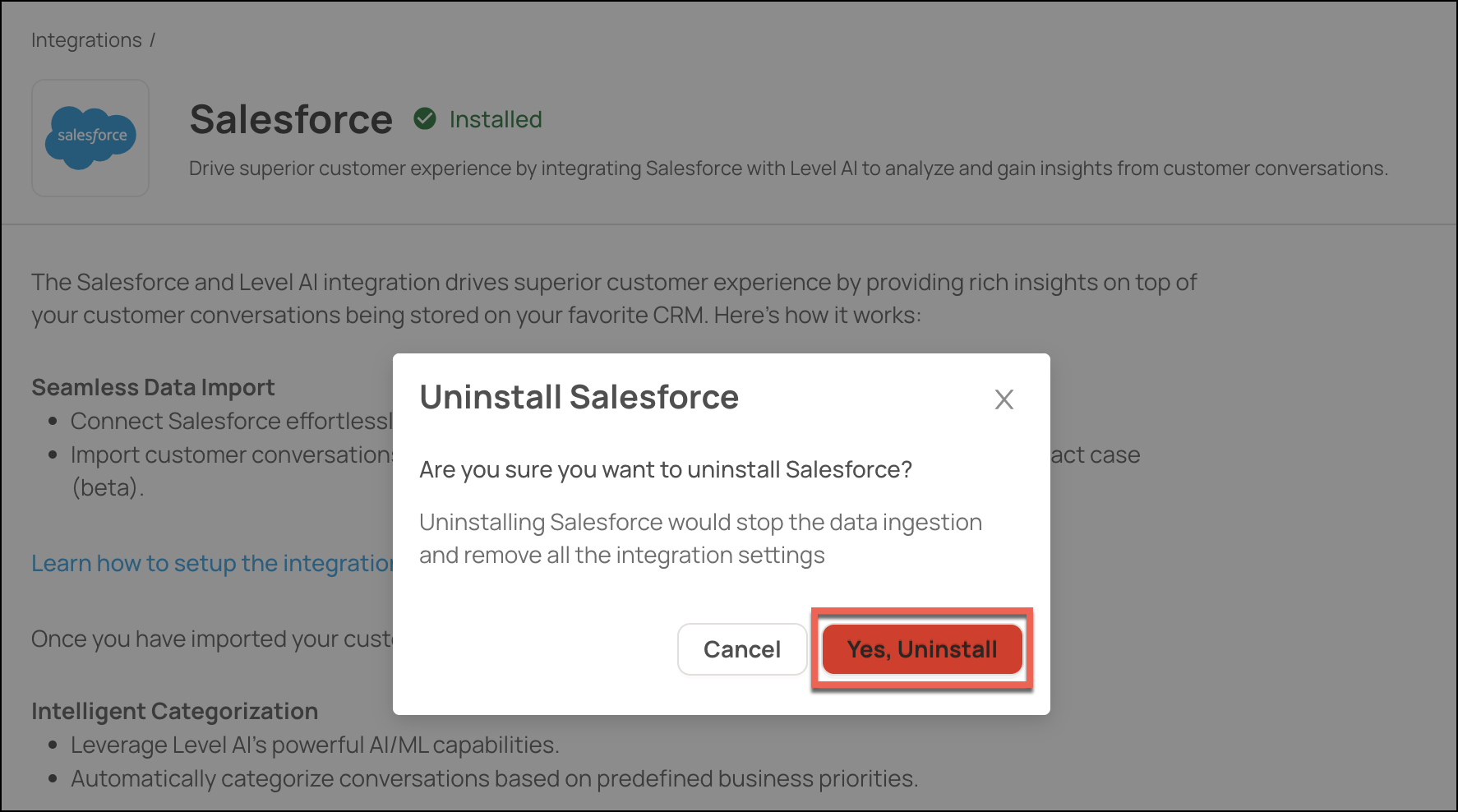
Click Yes, Uninstall to confirm.
HELP & SUPPORT
For any help related to the integration, do reach out to us at support@thelevel.ai.