Data Exports: Level's Snowflake to Customer's Snowflake private sharing
Last updated: June 18, 2026
This article outlines the steps to set up secure, direct data sharing between Level's Snowflake account to your Snowflake account. This will allow you to access your data instantly in your snowflake instance without having to copy or move it. This is the preferred mode for bulk Data exports from Level
Required Information
Log in to your snowflake account using your admin credentials.
Click View account details.
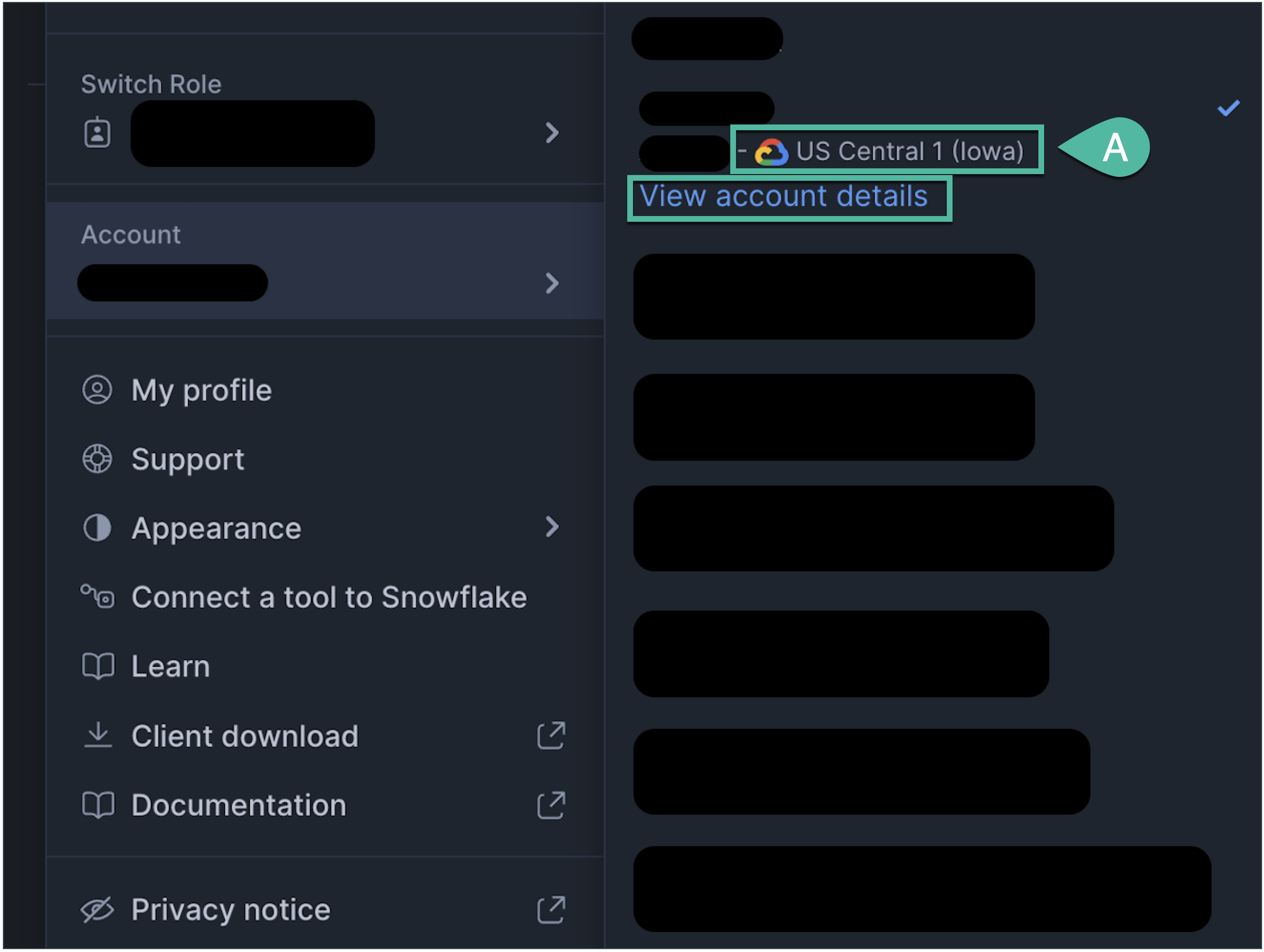
Please share the following parameters related to your Snowflake account with your Level AI POC:
A. Region (highlighted in the step above).
B. Account Locator
C. Account Identifier
D. Data Sharing Account Identifier
E. Organization Name
F. Account Name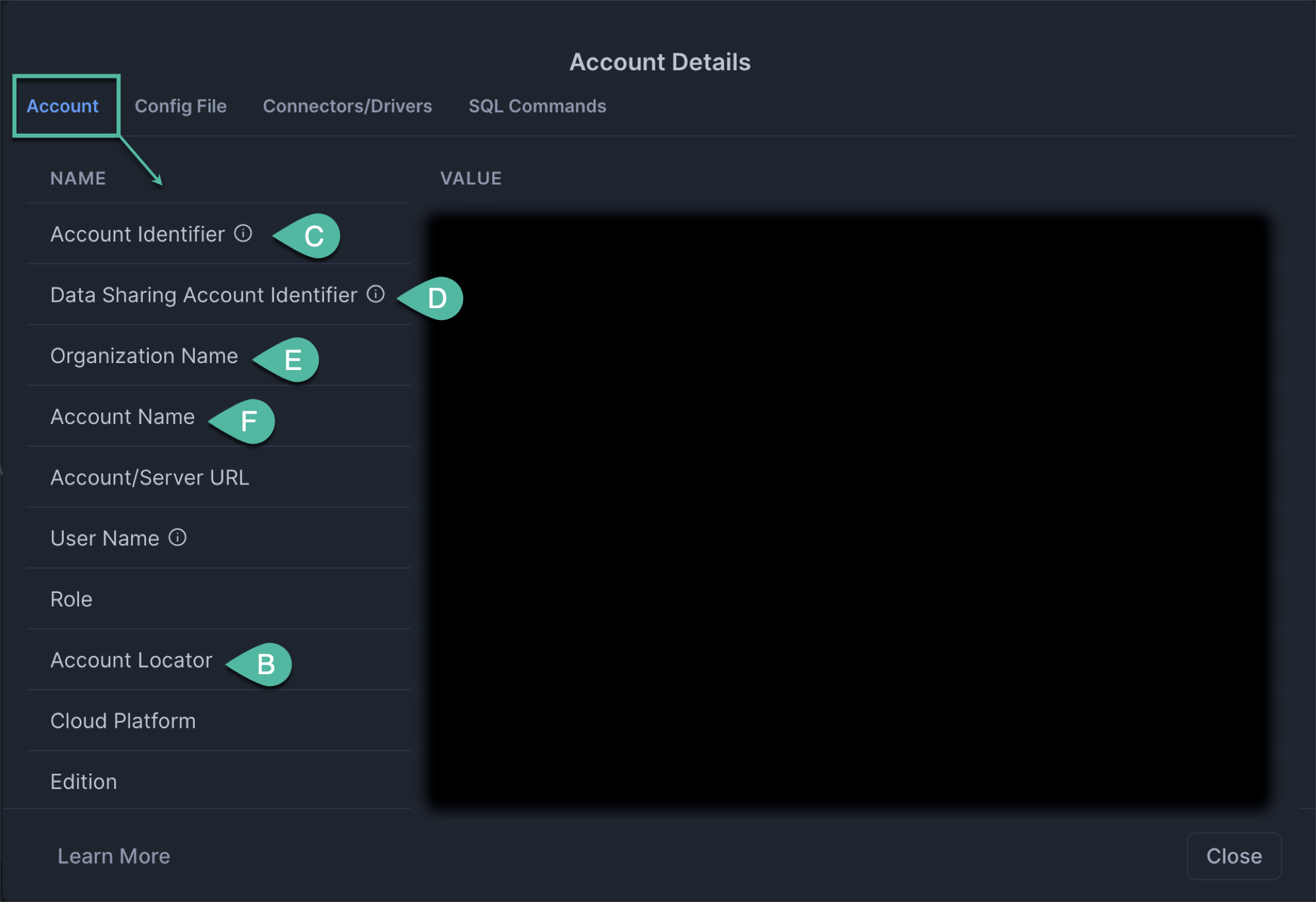
What happens next?
Once we have the information, the Level AI team will:
Create a secure Snowflake share
Configure the relevant data views into that share.
Notify your team when the share is ready for you to access.
Once the share is ready, your team can access the data by signing in to Snowsight (Snowflake's web interface) or using the Snowflake command-line tool (CLI) to connect.
You may refer to this document for details on how to use the shared data and start querying it.