Multiple Evaluations Export Changes for INSTASCORE and MANUALSCORE ID Columns
Last updated: June 22, 2026
1. Summary
By evolving the Primary Key generation logic for the INSTASCORE and MANUALSCORE tables, we are upgrading our schema to support the new Multiple Evaluations feature and laying a scalable foundation for more complex capabilities in the future.
This change will affect all historical data exported before the update for these tables. Clients consuming data exports must perform a one-time table migration to accommodate this change and ensure data integrity.
2. Technical Impact
While the schema structure (column names and data types) remains unchanged, the specific data values within the ID column will undergo a transformation.
Schema Structure: Remains Unchanged. No column headers or data types are being altered.
ID Values: ID Values of the INSTASCORE and MANUALSCORE tables in the schema will be refreshed for the existing records.
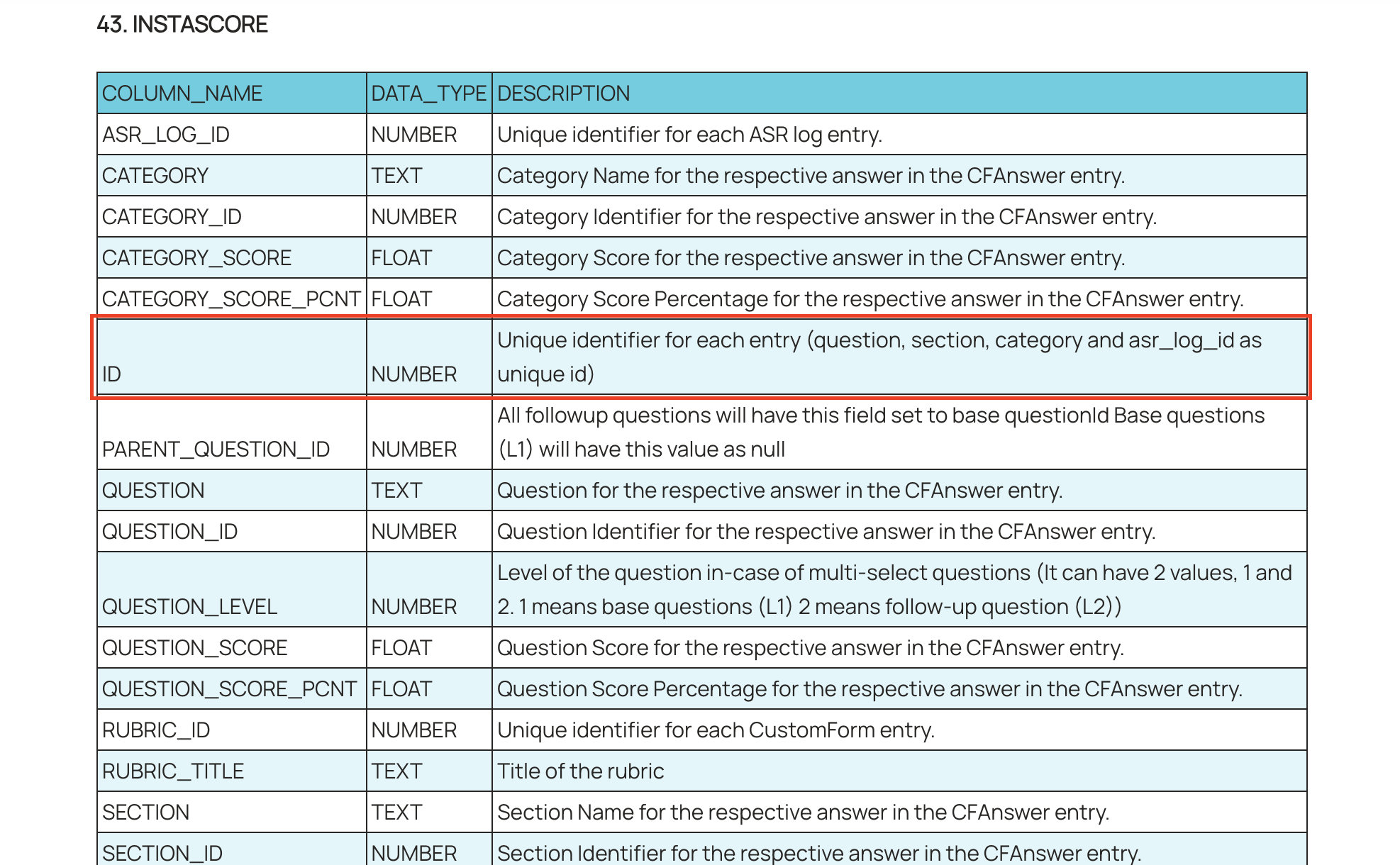
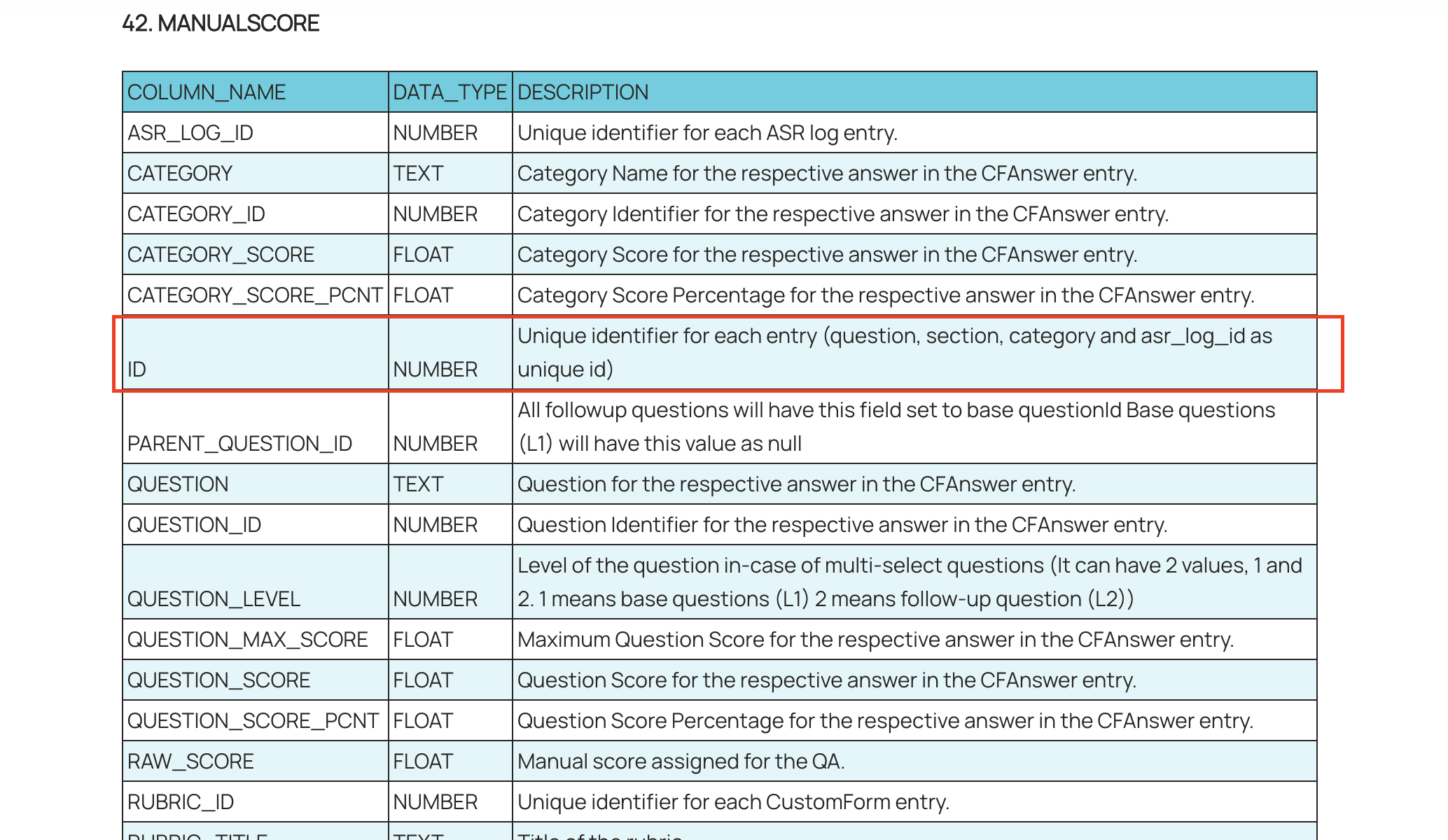
Full Schema: 📄 Level AI - Data Export Schema 2.0
IMPORTANT
Because the IDs for historical records are changing, simply appending the new export to your existing database will result in data duplication. You must treat this export as a "full refresh" for the INSTASCORE and MANUALSCORE Tables.
3. Required Action Plan
Please schedule a maintenance window to process your data export. We recommend the following workflow:
Step 0: Coordinate a date between LevelAI and Clients to do the following
Before the client begins doing the following steps, please coordinate a time with LevelAI to have the single time data exported.
Step 1: Backup Current Data
Before ingesting the new data, rename your existing tables to preserve a backup of your current state.
Action: Rename INSTASCORE to instascore_backup
Action: Rename MANUALSCORE to manualscore_backup
Step 2: Initialize New Tables
Create fresh tables using your standard schema definitions.
Action: Create new INSTASCORE and MANUALSCORE tables.
Verification: Ensure these new tables are completely empty.
Step 3: Ingest New Export
Once the tables are reset, Inform the LevelAI team to do an export of these tables again. Once LevelAI Team has exported the INSTASCORE and MANUALSCORE tables, ingest the data received for these tables. This export will contain the complete history of your data with the updated Primary Keys.
For Snowflake Private Sharing: Once you observe the new data in the share, insert it into your newly created tables. Also make sure your downstream systems (in case any), have the newly updated ID's without any duplicates.
For Blob/CSV Export: Load the full CSV export received from LevelAI into the newly created tables.
Step 4: Validation
After ingestion, run a validation query to confirm data integrity.
Recommended Query: Run a query for ASR_LOG_ID and verify if you are receiving a single record from the INSTASCORE and MANUALSCORE tables.
Success Criteria: Verify that you do not have duplicate active scores for a single conversation ID.
4. Risk Assessment
Failure to perform the steps outlined above will result in data corruption in your export environment.
Risk: Data Duplication / Inflation
Impact: If the table is not reset, your database will contain two records for every historical score:
The record with the old Primary Key (from previous exports).
The record with the new Primary Key (from the new export).
Result: This will artificially double your reported audit counts and skew scoring averages.