Okta SCIM Add new Attribute to User
Last updated: June 17, 2026
Clients can add new attributes to their Okta to send to level to be seen in User profile attributes which can be used for team assignment by following the below process
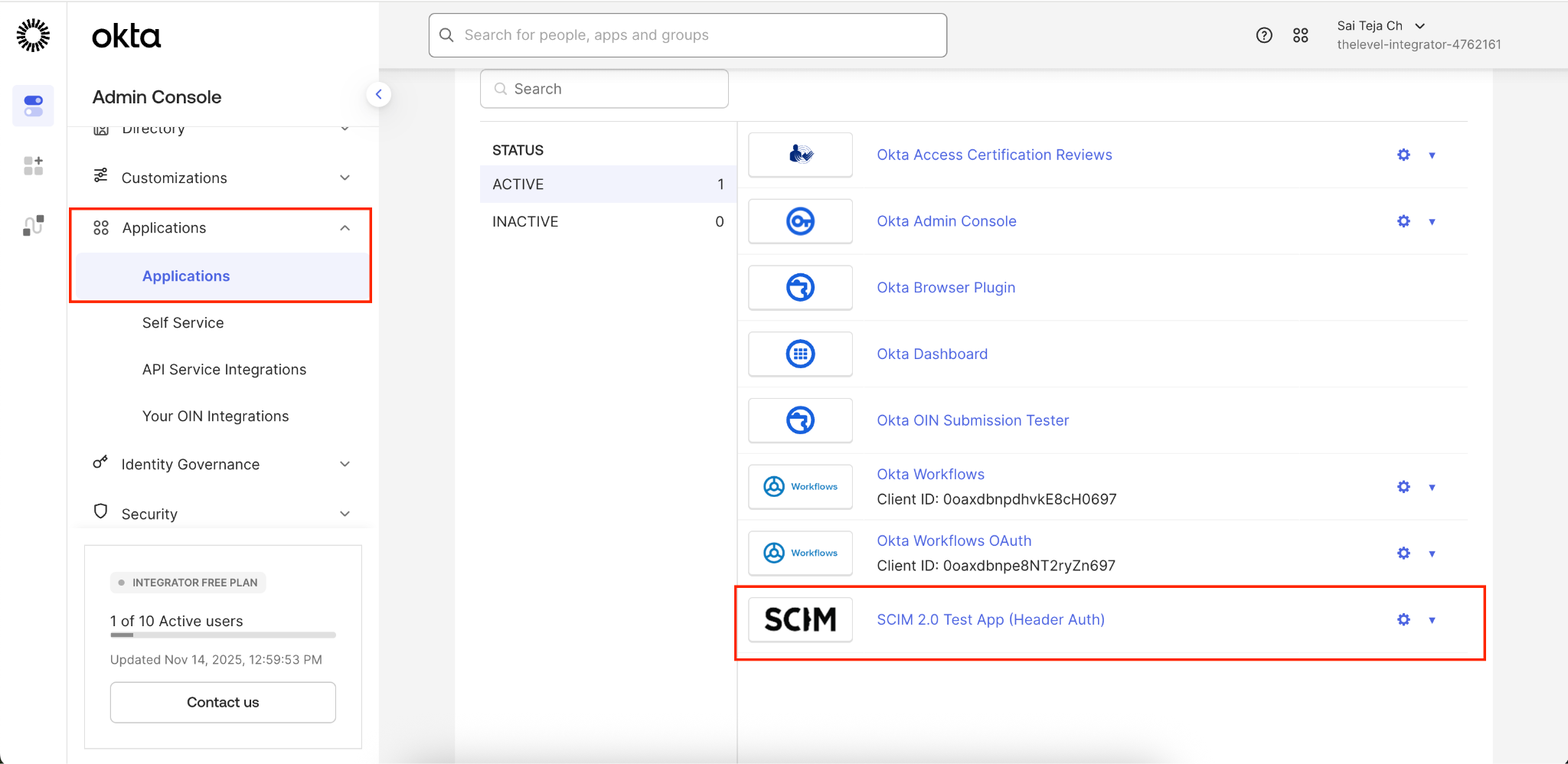
1. Go to Applications and choose SCIM
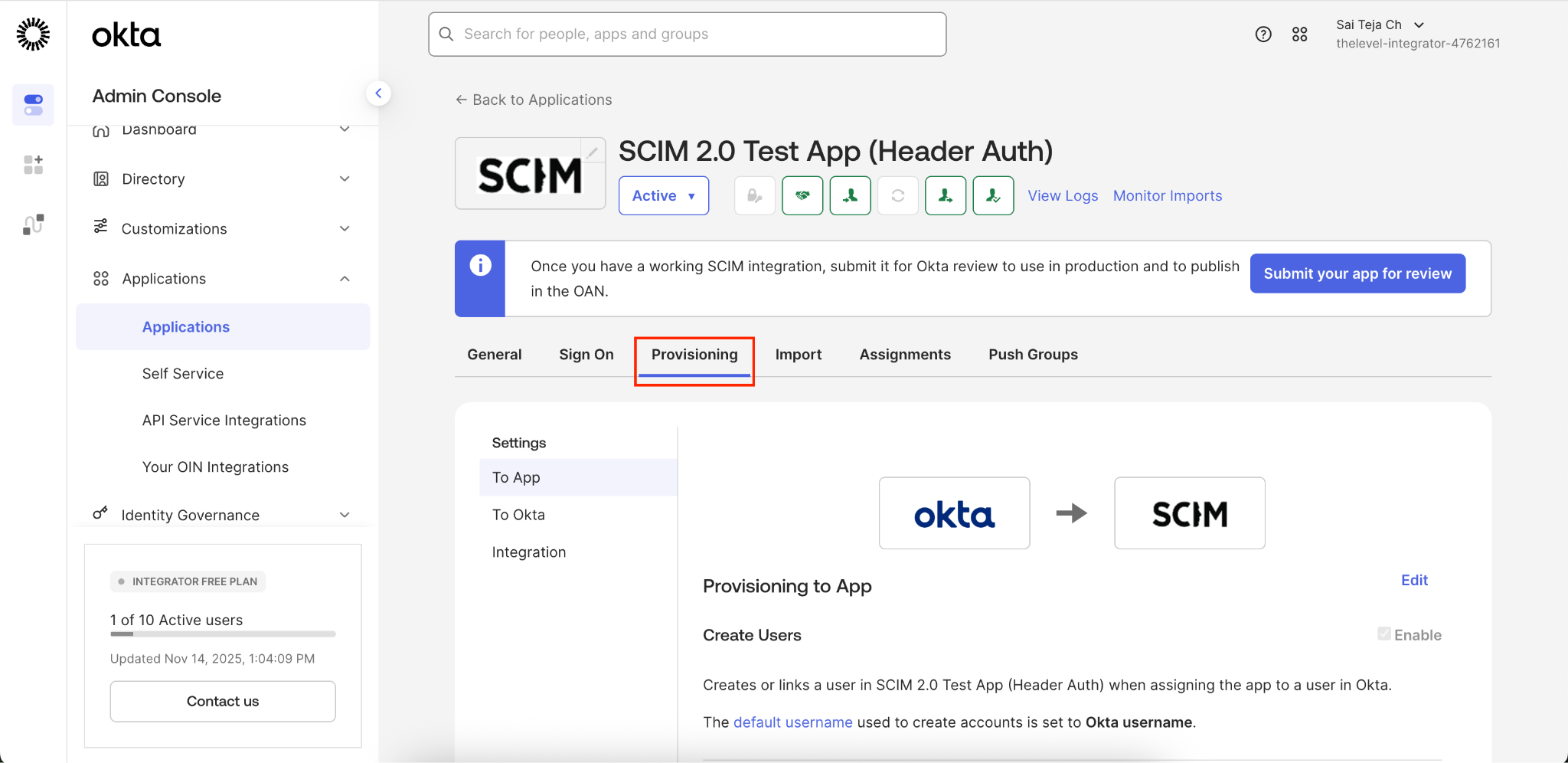
2. Choose Provisioning
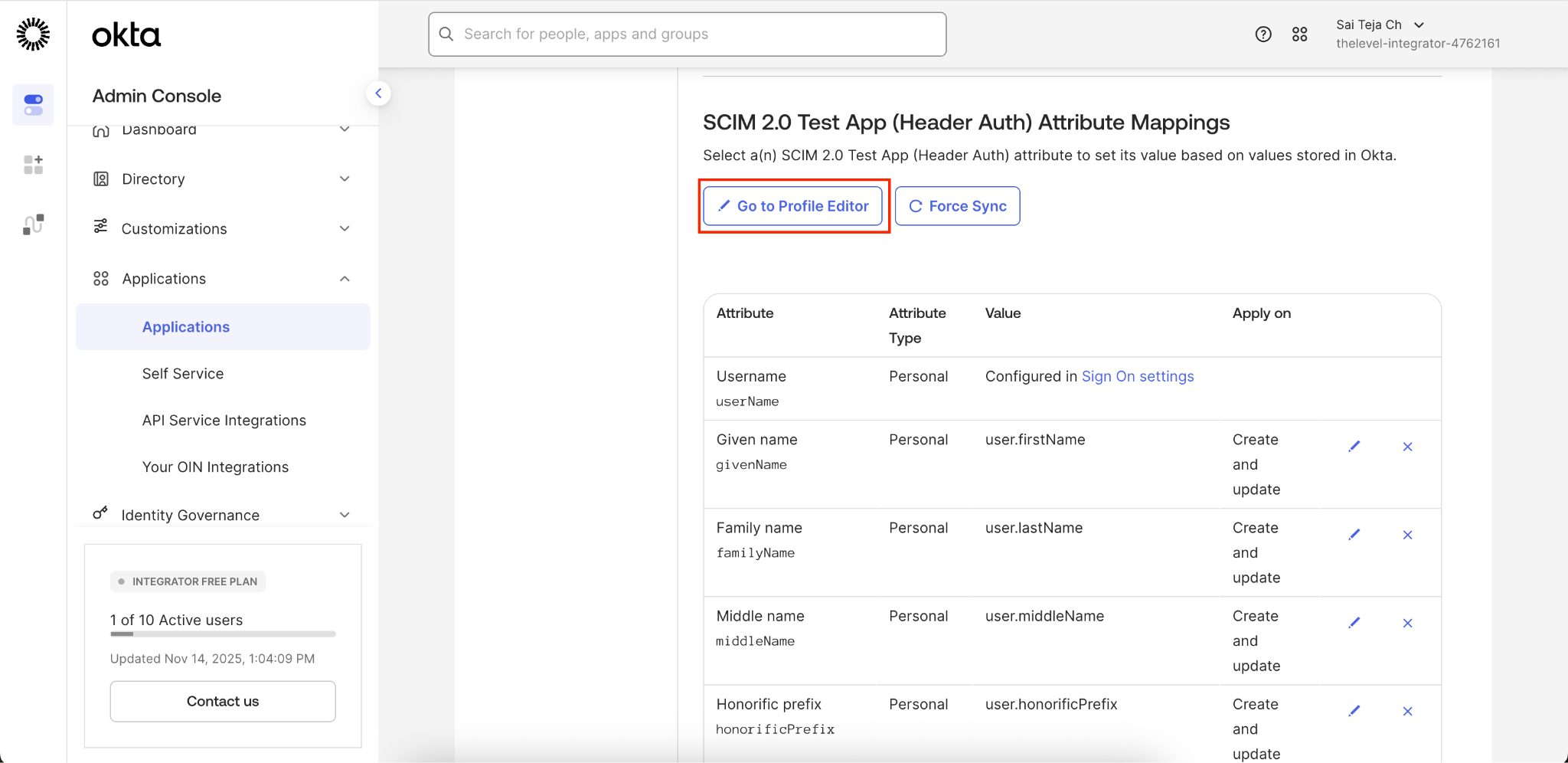
3. Scroll and click Go to Profile Editor
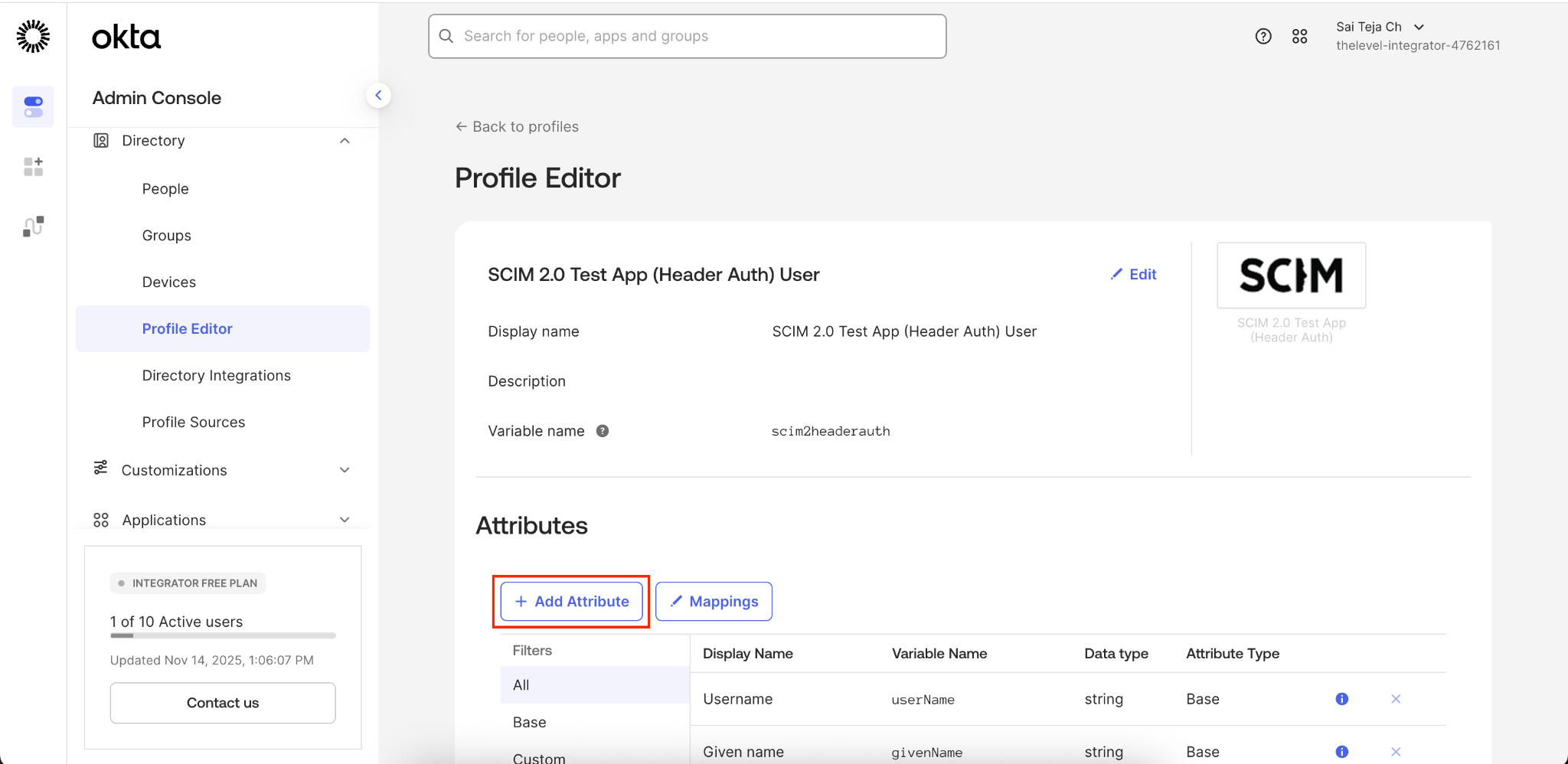
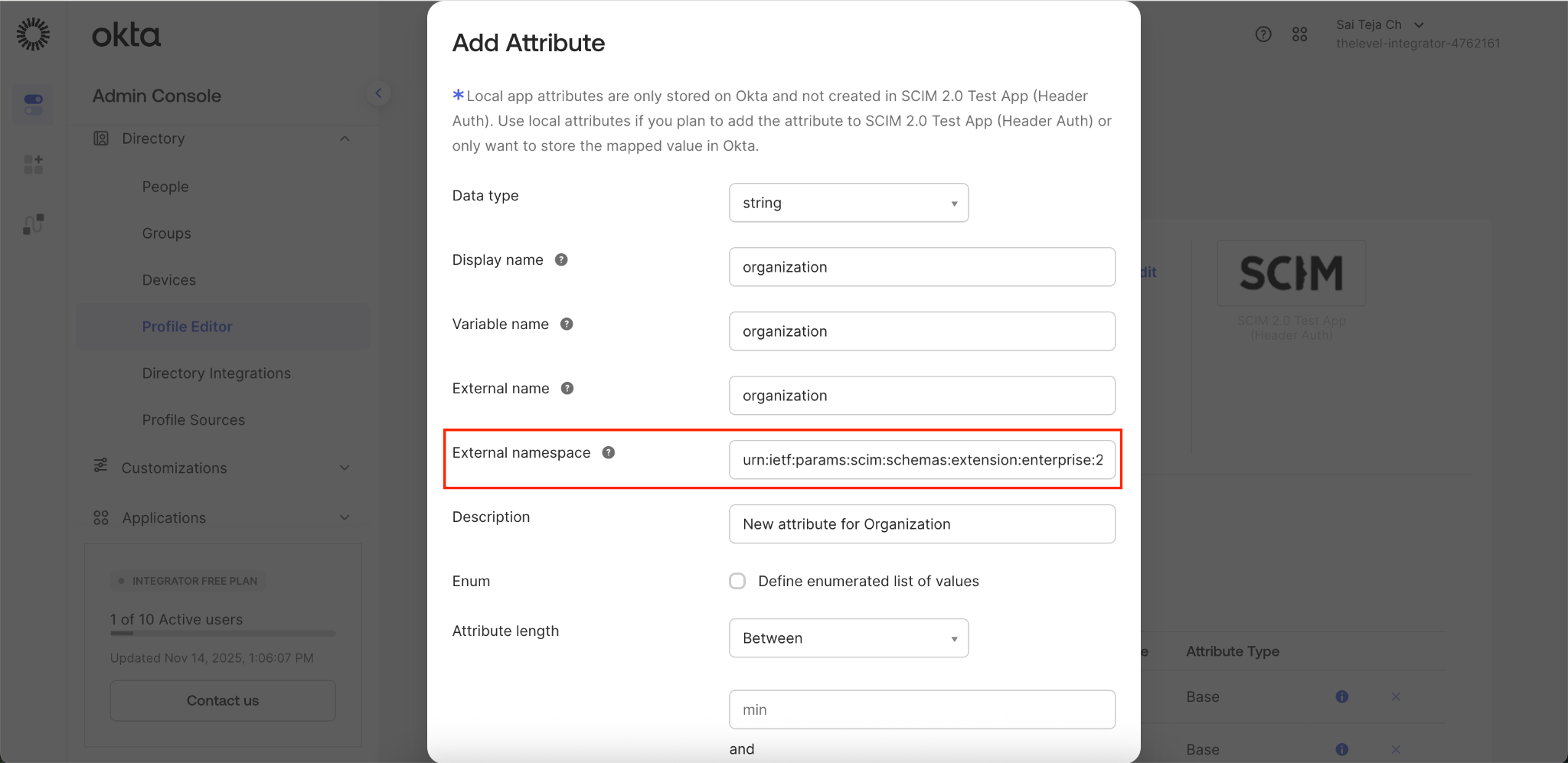
4. Click Add Attribute
5. Enter the relevant details and enter the namespace value as below
Namespace: urn:ietf:params:scim:schemas:extension:enterprise:2.0:User
6. Once added click Save.